Adjustments or changes at the program can not be made via the network but have to be done
at the system itself.
The protocols are sorted on date and can be spent very easily as pdf.
By entering this IP adress into the adress field of a browser which is connected to this network
you will have access on created programs, adjustments of the system and on protocols of the
last 20 cleaning cycles.
This IP adress can be shown on the display of the ÖKO 2000. For that, please call the point
„network config“.
After the connection of the system with the company network, the ÖKO 2000 gets an IP adress
via the CHCP system.
The LAN connector serves for the connection of the ÖKO 2000 to the company network.
Via a commonly used browser you will have access to serveral information of the system.
The USB connector is provided for prospective firmw are updates.
6. Interfaces / Network connection
On the left side of the control panel there is an USB and RJ45-Ethernet-LAN connector.
52
IMO GmbH Gässlesweg 6 D-75334 Straubenhardt Tel.: 070 82 491 80 Fax: 604 36 www.imo-ag.com info@imo-ag.com
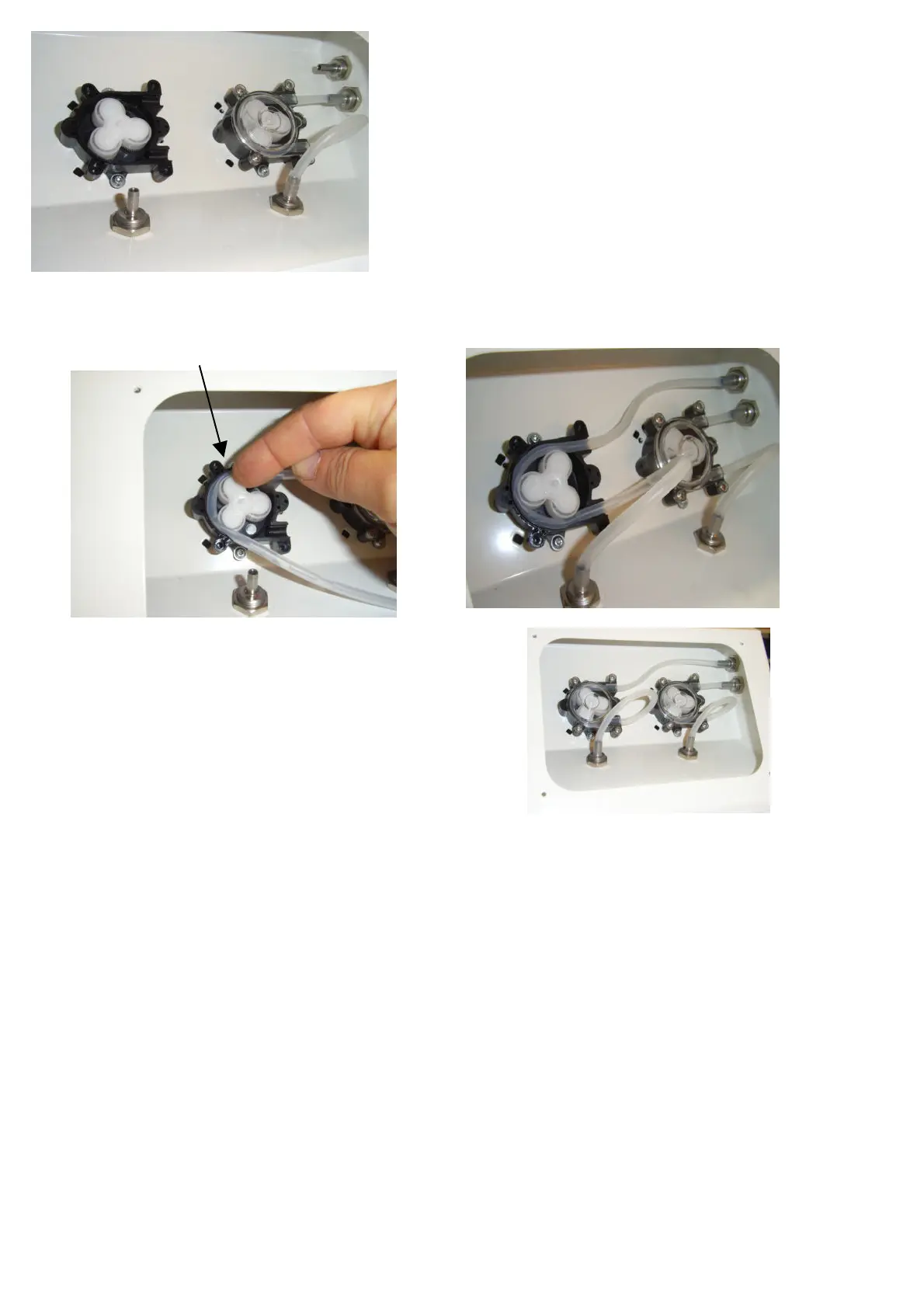
Pull the old hose off the metal hose connector and remove
it from the dosing head.
Cut the new hose (Art. No.: 1804.0000.24 Meterware)
to the required length.
left pump: 34 cm
right pump: 24 cm
Fit the new piece of hose onto the metal connector on the right side wall and insert it into the pump head
with sufficient play in the length, turning the roller counterclockwise
and guiding the hose into the housing.
Put on the transparent lid and carefully tighten the screws.
Push the end of the hose onto the lower metal connector
in an equal arc.


 To Next Page