Keypad Panel 4-2
4
(4) Function setting method
(2) Stopping operation
When is other than
press to start operation or press i
to stop operation. The direction of
rotation is as shown below.
= : Forward rotation
with FWD-CM ON, reverse rotation with
REV-CM ON
= : Forward rotation
(Inputs at the FWD and REV terminals
are ignored.)
= : Reverse rotation
(Inputs at the FWD and REV terminals
are ignored.)
320F
220F
020F
120F
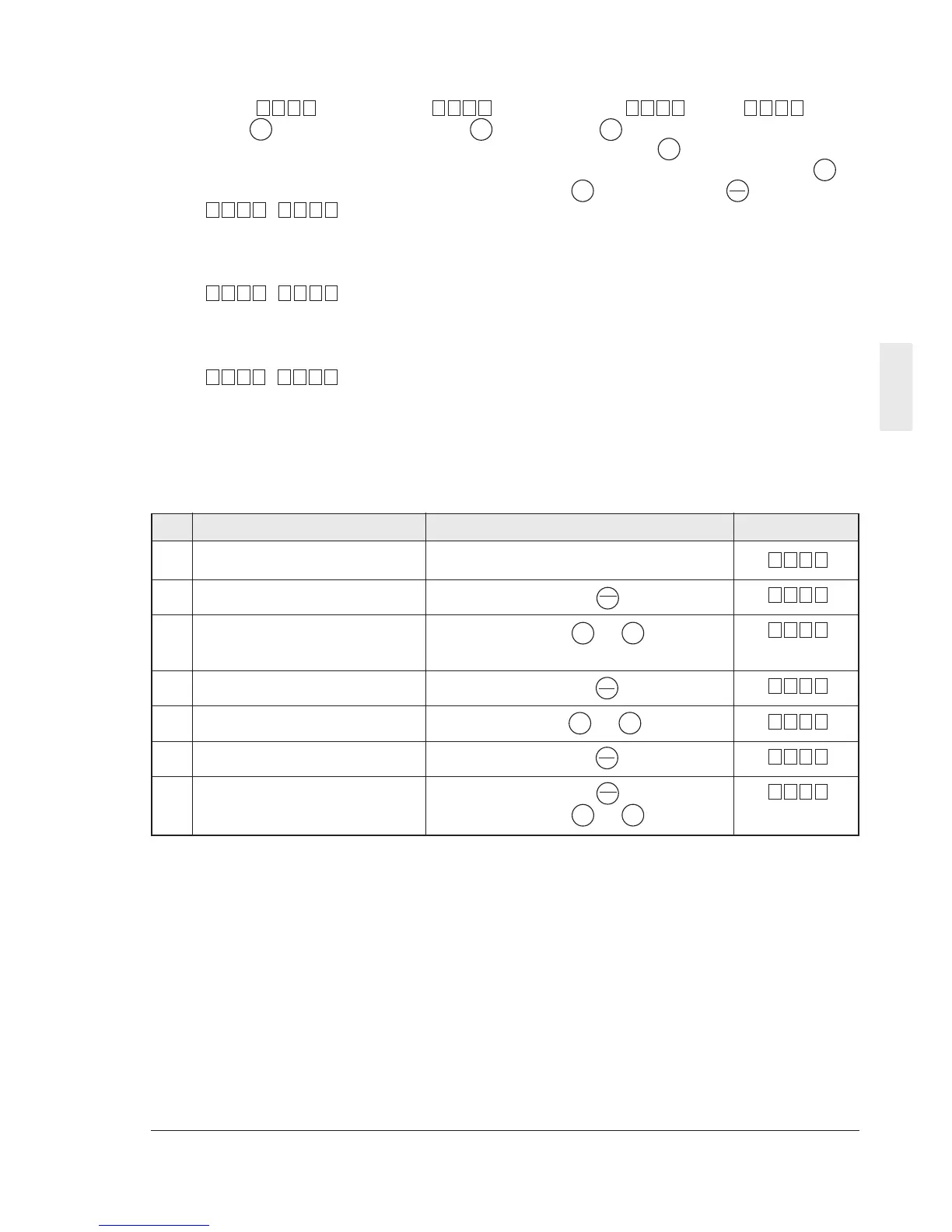
Description of operation Operation procedure Display result
Initial state
- Start the program mode. Press the key.
- Select a setting or Press the or key.
monitoring function
- Have the data displayed. Press the key.
- Change the data. Press the or key.
- Store the data. Press the key.
- Exit from the program mode. Press the key.
(Or select another function.) (Press the or key.)
000.6
20F
2
1
10F
00F
000.6
PRG
RESET
PRG
RESET
V
RUN
STOP
FUNC
DATA
FUNC
DATA
V
V
V
V
V
(3) Changing the frequency
When is at , press
the key to increase the frequency or
press the key to decrease the
frequency. Press and hold the or
i key and press the key to increase
the frequency change speed.
Note) Do not turn the power off for five
seconds after performing a monitor change
or function setting. Otherwise Er1 will be
caused.
010F
FUNC
DATA
V
V
V
V



 To Next Page