Protective Operation 6-2
6
6-2 Alarm Reset
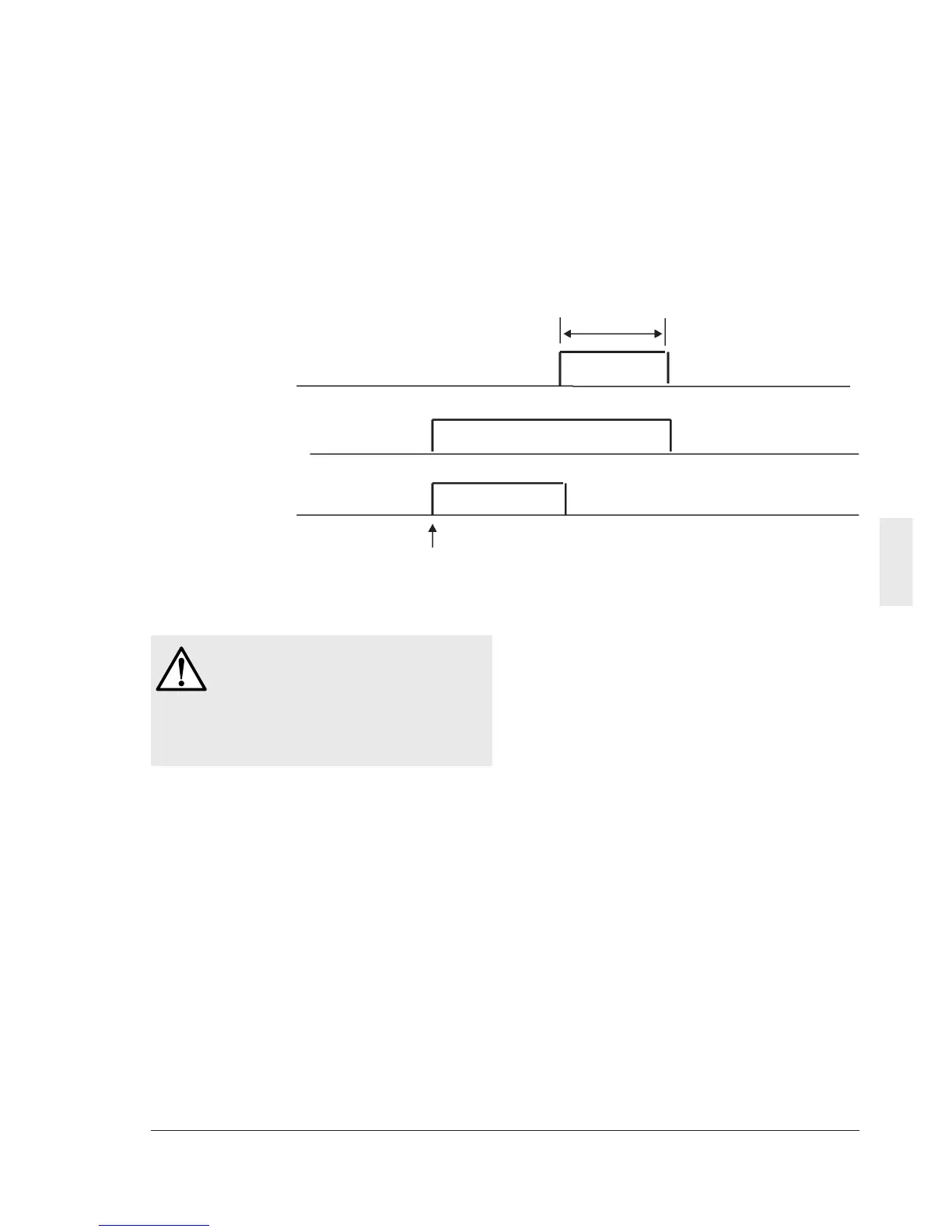
When the inverter trips, remove the cause then
press the PRG/RESET key on the keypad panel
or input a reset command from the RST control
terminal to reset the tripping state. Because the
reset command is activated by an edge, supply
the command in an OFF - ON - OFF sequence
as shown in Fig. 6-2-1.
When resetting the tripping state, deactivate the
operation command. If the operation command
is left turned on, the inverter starts operation
immediately after the error is reset.
Reset command
Keypad panel display
Alarm output
10 ms or longer
ON
Alarm display
OFF
Regular display
(ready to operate
OFF
ON OFFOFF
Trip
Figure 6-2-1
WARNING
If an alarm reset is made with the
operation signal turned on, a sudden
start will occur. Check that the operation
signal is turned off in advance.
Otherwise an accident could occur.



 To Next Page