1-3 Before Using the Inverter
1
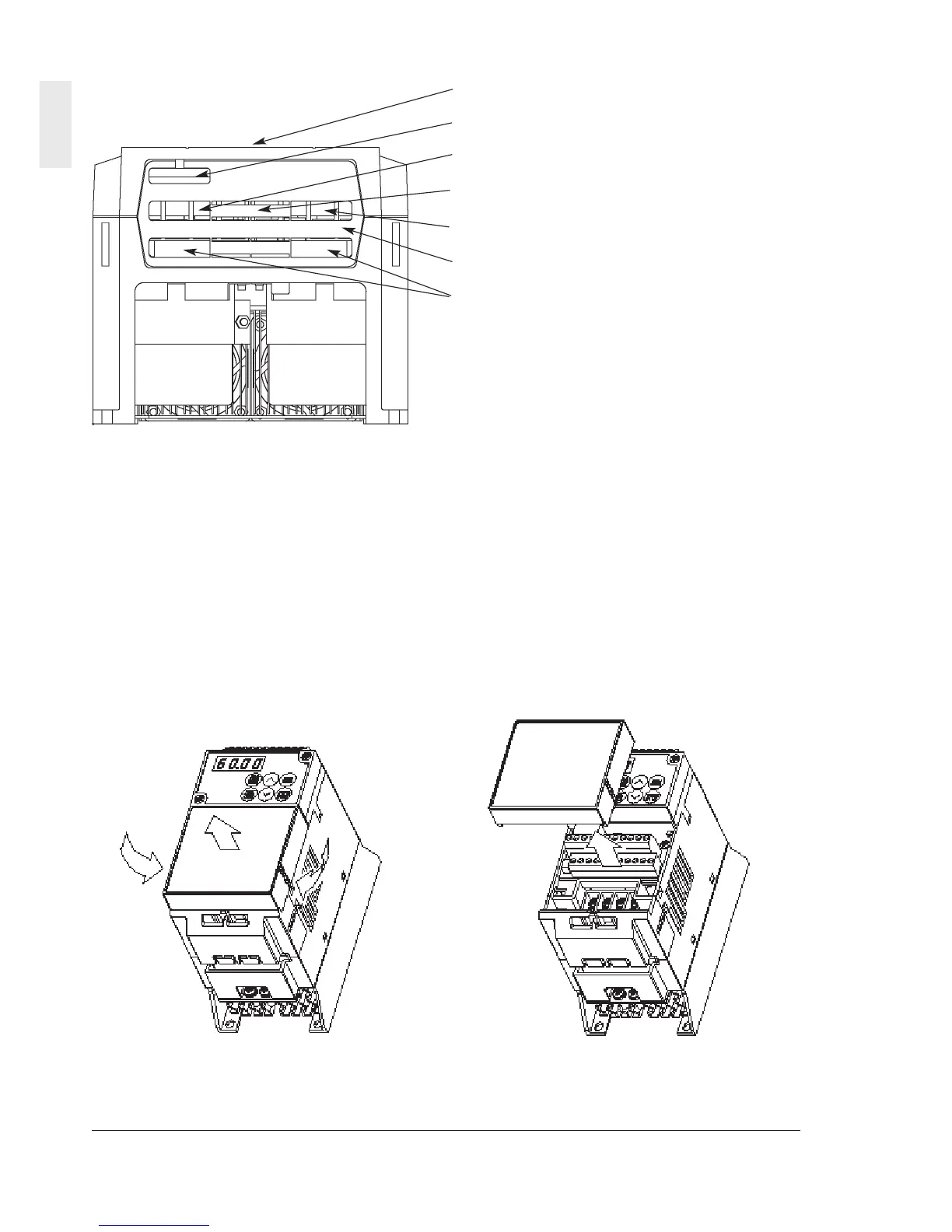
(2-2) View of wiring part(5.5,7.5kW)
A barrier is provided in the cable cover for the
P1, P (+), DB and N (-) cable port. Cut the
barrier before wiring.
1-3 Handling the Product
(1) Removing the control terminal block
cover(4.0kW or below)
While lightly pushing the sides of the control
terminal block cover at the catches, lift the cover
in the procedure shown in Fig. 1-3-1 to remove
it.
Fig. 1-3-1 Removing the control terminal block
cover
Terminal block cover
Control cable port
L1/R, L2/S, L3/T cable port
P1, P (+), DB, N (-) cable port
U, V, W cable port
Cable cover
Grounding cable port



 To Next Page