App Operation 17
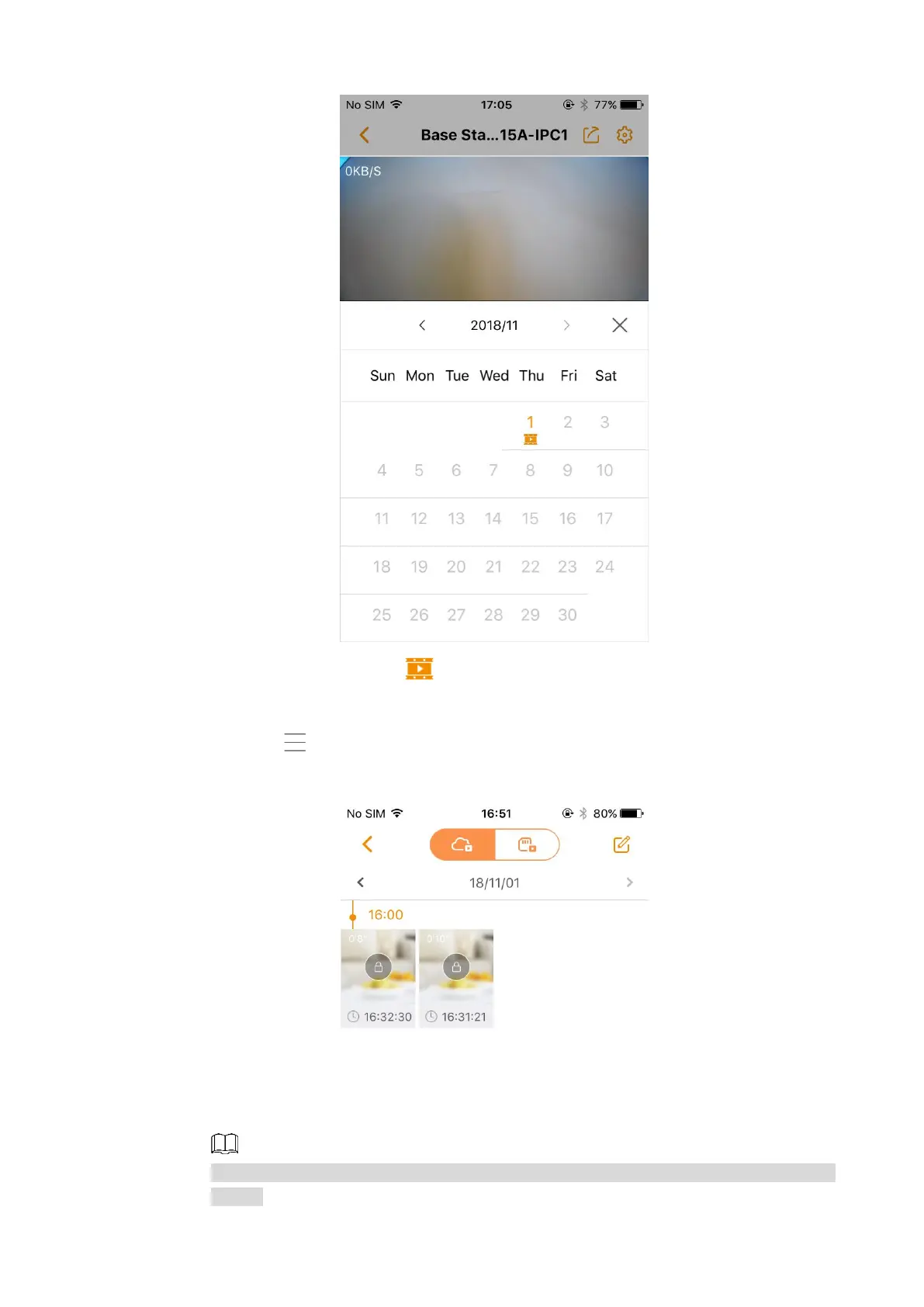
Calendar Figure 3-6
Those dates with the sign indicate there were videos recorded. You can tap
any date to view the video with time axis.
Tap , and then the file list interface is displayed. See Figure 3-7.
File list Figure 3-7
Tap any video to view, or you can tap the date above to select other date in the
calendar.
You can take snapshot or record video to the local file when viewing the recorded
videos.



 To Next Page