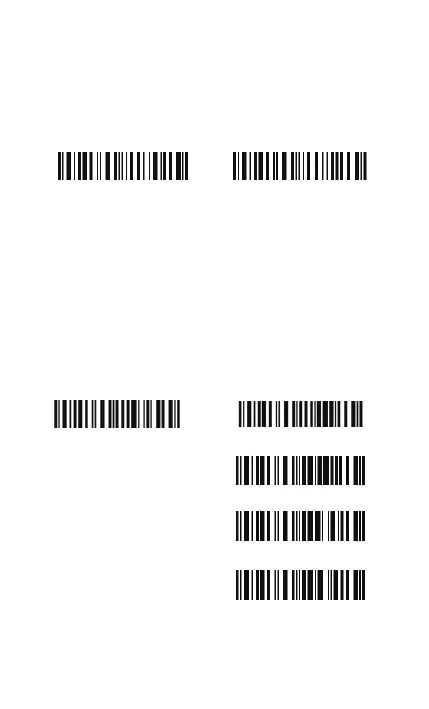
full, the user should return to the range of BT connection quickly,
the data in the buffer can be sent back to the host computer and
release the space of buffer.
Note: The 256KB transmit buffer on the scanner can hold as many
as 2600 barcodes bases on Code128. You can choose to clear the
data in the buffer every time when you turn on the scanner.
Note: You can clear the data in the buffer via enable barcode, you
can also clear the data in the buffer via press the Power key long
time.
After the Bluetooth connect successfully, the barcodes in the buffer
will upload to appointed position automatically. You also can setup
upload the barcodes in the buffer or not via reading the following
barcodes. By default, it is enabled.
If you don‘t want to upload the barcodes automatically, you can
setup as disabled, when the Bluetooth connect, the barcodes won’t
upload. You can double click Power key to start uploading the
barcodes.
Enable Clear Data in Buffer When
Turn On the Scanner
*Disable Clear Data in Buffer When
Turn On the Scanner
(*)Enable Auto Uploading
Disable Auto Uploading
Enter Setup
Exit with Save
Exit without Save
15



 To Next Page