42
2.4.3 Connect via BT Input Method
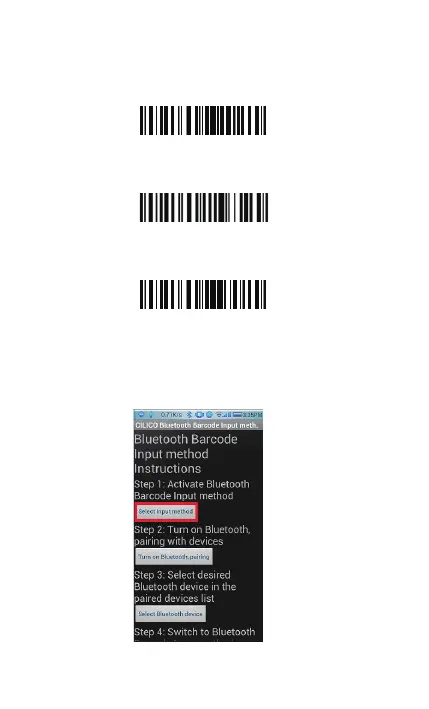
1. Turn on Bluetooth barcode scanner BCST-10 for setup
Read “Enter Setup” barcode
Read “Bluetooth Input Method” barcode
Read “Exit with Save” barcode
2. Setup “CILICO Bluetooth barcode input method”
Step 1: Tap “Select Input Method”
Enter Setup
Exit with Save
Bluetooth Input Method



 To Next Page