sales@romanoff.com | www.romanoff.com
Moves the input area (highlighted area) one level above.
Moves the input area one level below.
Increases the value within specified limits.
Display returns to main menu.
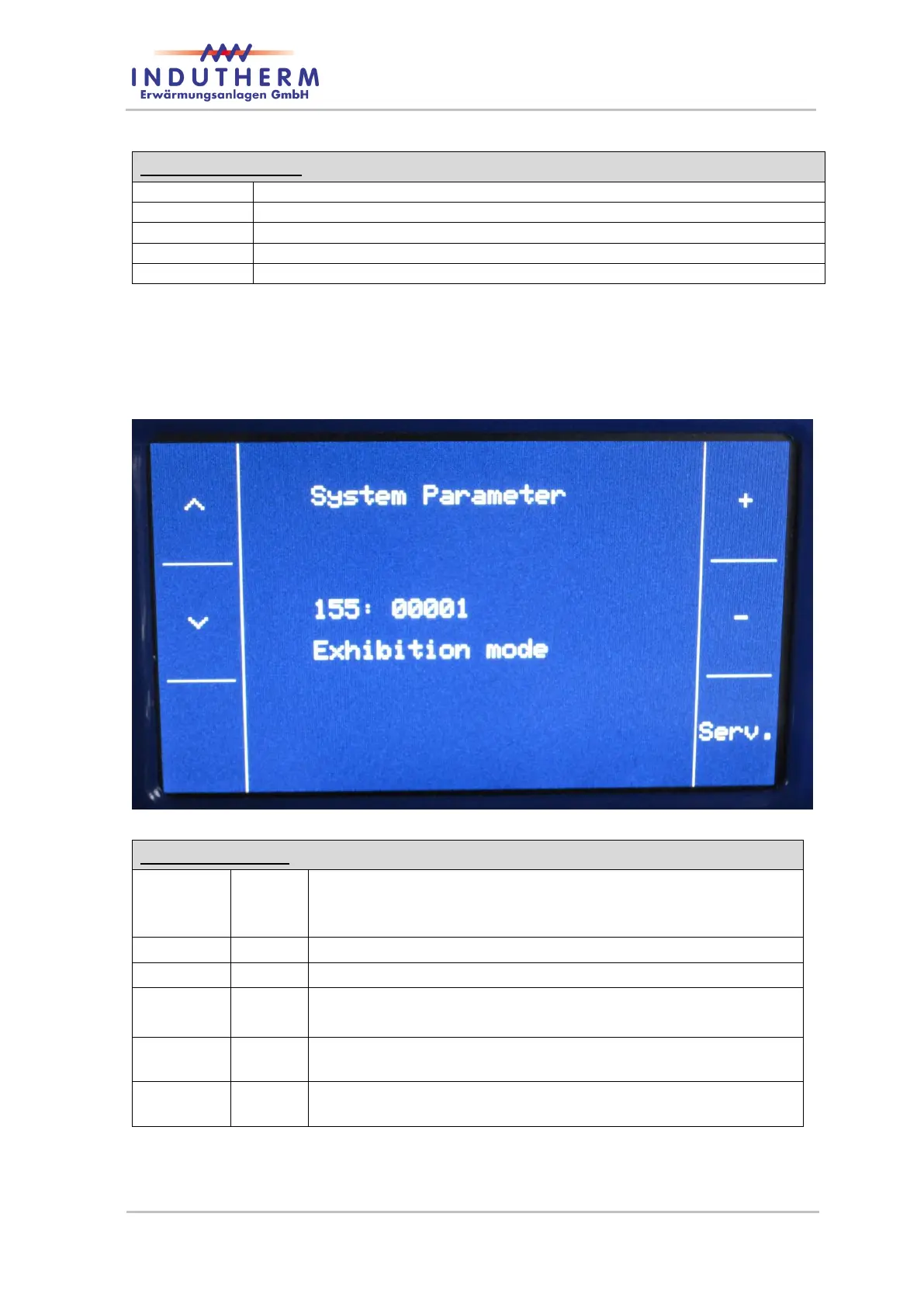
4.5.3 MC60V modify system parameter
If you start from the main page and you press „Program setup“ for 5 seconds you get ac-
cess to the system parameter.
Figure 6: System-parameter-menu
selected parameter is 155
If value of parameter 155 is one, then exhibition mode is acti-
vated.
With pressing ‘Λ’ you get to next parameter 156.
With pressing ‘V’ you get to previous parameter 154.
With pressing ‘+’ you can increase to value 2 of selected pa-
rameter.
With pressing ‘-’ you can decrease to value 0 of selected pa-
rameter.
You can see service information on Service Info Page 1 about
serial numbers.


 To Next Page