EasyManua.ls Logo

Indutherm MC60V - Front Panel Buttons

Indutherm MC60V
65 pages
Print Icon
To Next Page IconTo Next Page
To Previous Page IconTo Previous Page
Loading...
System
description
sales@romanoff.com | www.romanoff.com
2019-01-08
49
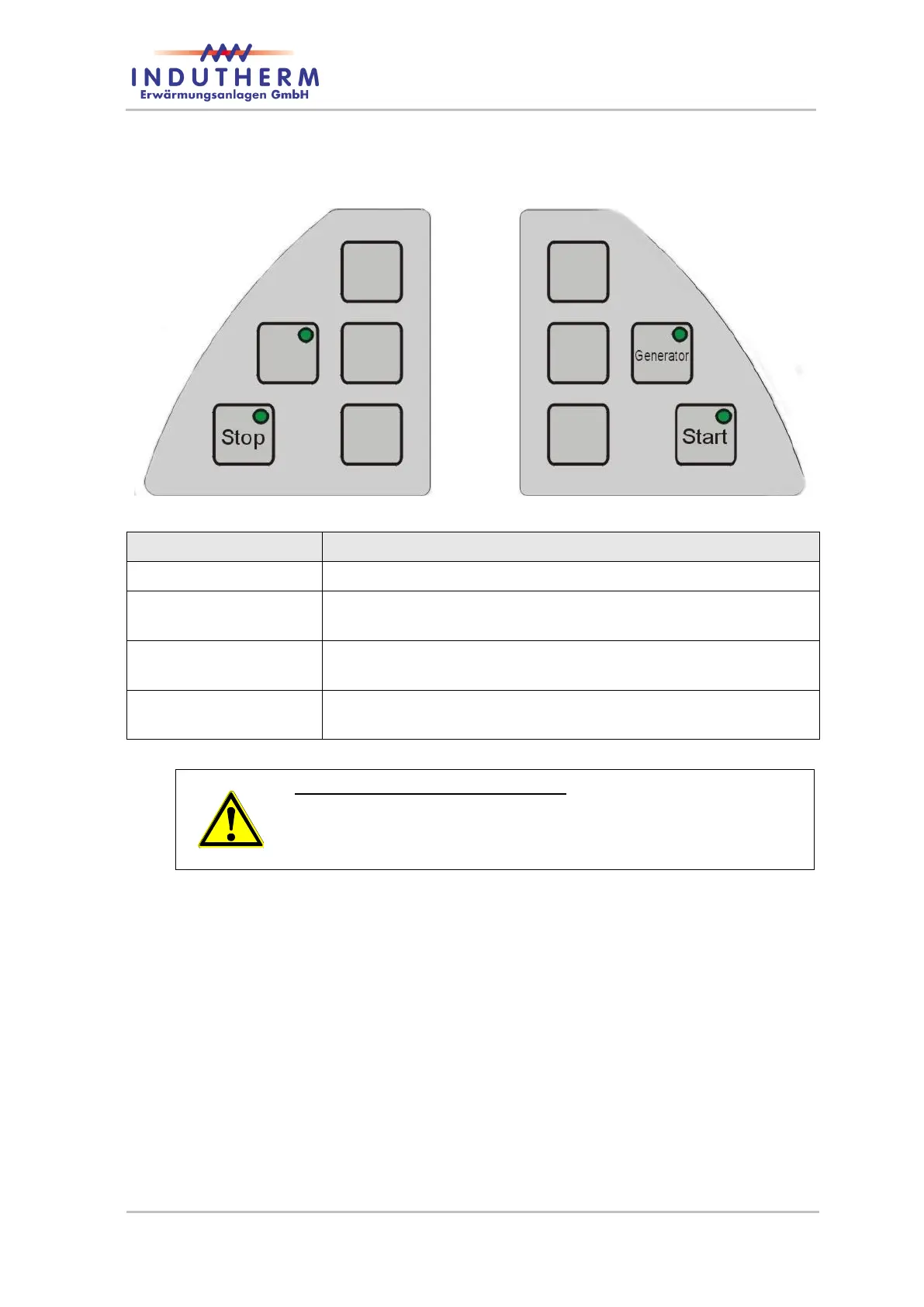
4.6 Front panel buttons
Figure 9: front panel
From left to the right
Button
Function
Stop
Stops active program.
6 push buttons left
and right from display
Function of these buttons you can see in display. See chapter
4.5.1 too.
Generator
Starts and stops heating with induction generator outside the
automatic mode.
Start
Starts selected program. Second push starts melting pressure in
manual mode.
Special function of "Start" button:
If you are operating within a program cycle and melting pres-
sure is active, you can release and reactivate the melting
pressure by pressing the start button.

Table of Contents