29
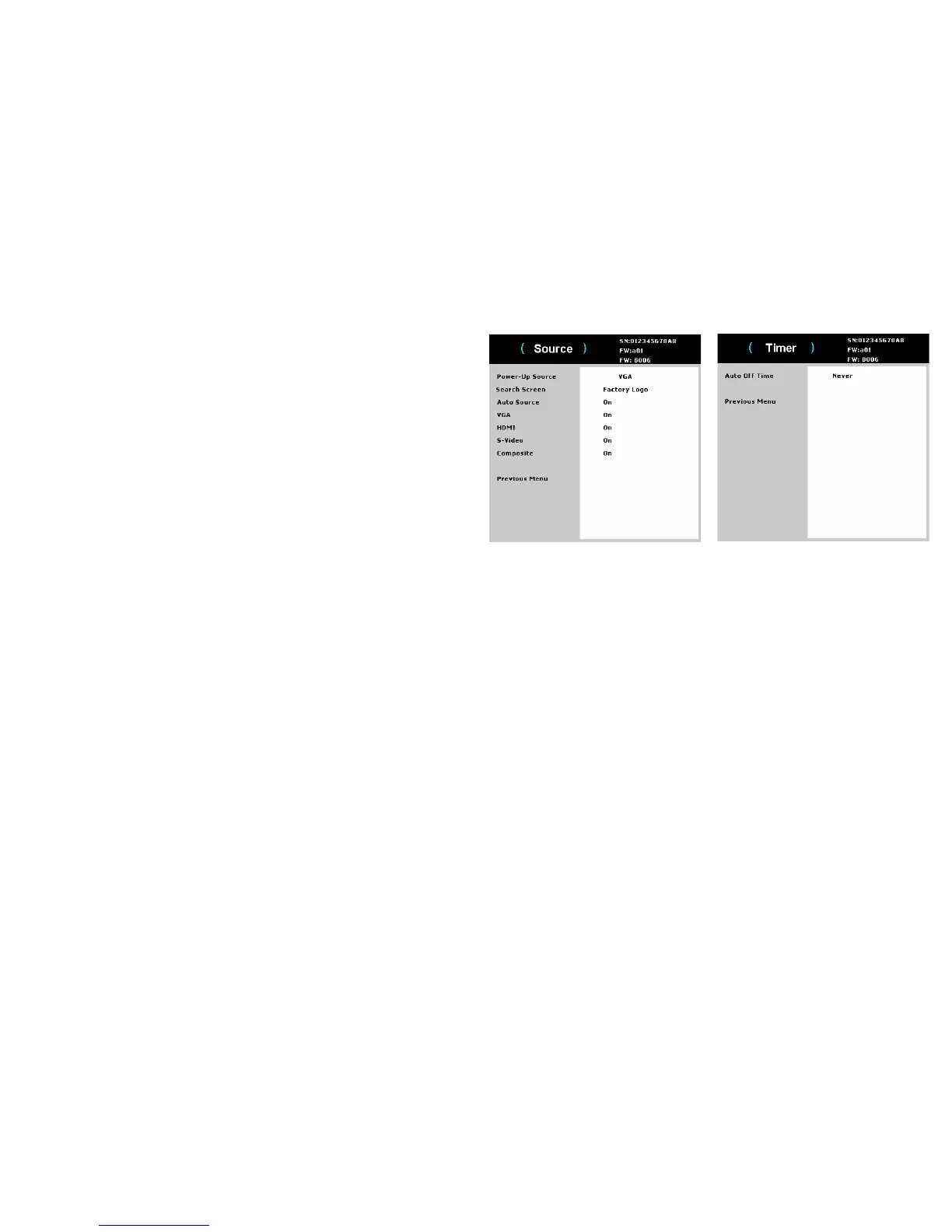
Source:
• Power-up Source:
determines which source the projector checks first for
active video during power-up.
• Se
arch Screen:
allows you to display a blank screen instead of the default
screen at startup when no source is detected. Options include the factory logo
screen, a custom Snapshot, or a blue, black or white screen.
• Auto Source:
When this feature is On, the projector automatically finds the
active source, checking the selected Power-up Source first. When this feature
is Off, the projector defaults to the source selected in Power-up Source.
To display another source, you must manually
select one by pressing the Source
button on the remote or keypad. Then navigate to the desired source icon and press
the Select button.
• VGA:
toggles between on and off. It allows yo
u to manually change source to
VGA when this feature is on.
• HDM
I: toggles between on and off. It allows
you to manually change source
to HDMI when this feature is on.
• S-V
ideo: togg
les between on and off. It allows you to manually change source
to S-Video when this feature is on.
• Composite: toggles between on and off. It allows you to manually change
source to Composite when this feature is on.
Timer:
• Auto Off Ti
me: automatically turns the projector off after no signals are
detected for a preset number of minutes. If an active signal is received before
the projector powers down, the image will be displayed.



 To Next Page