45
Auto: Auto channel switching is not supported.
3 Save the configuration by highlighting the checkmark and press the Select key.
4 If you want to exit without saving either press the Menu key or highlight the X
and press the Select key. The AP mode icon will display in the upper right
corner of the projected image.
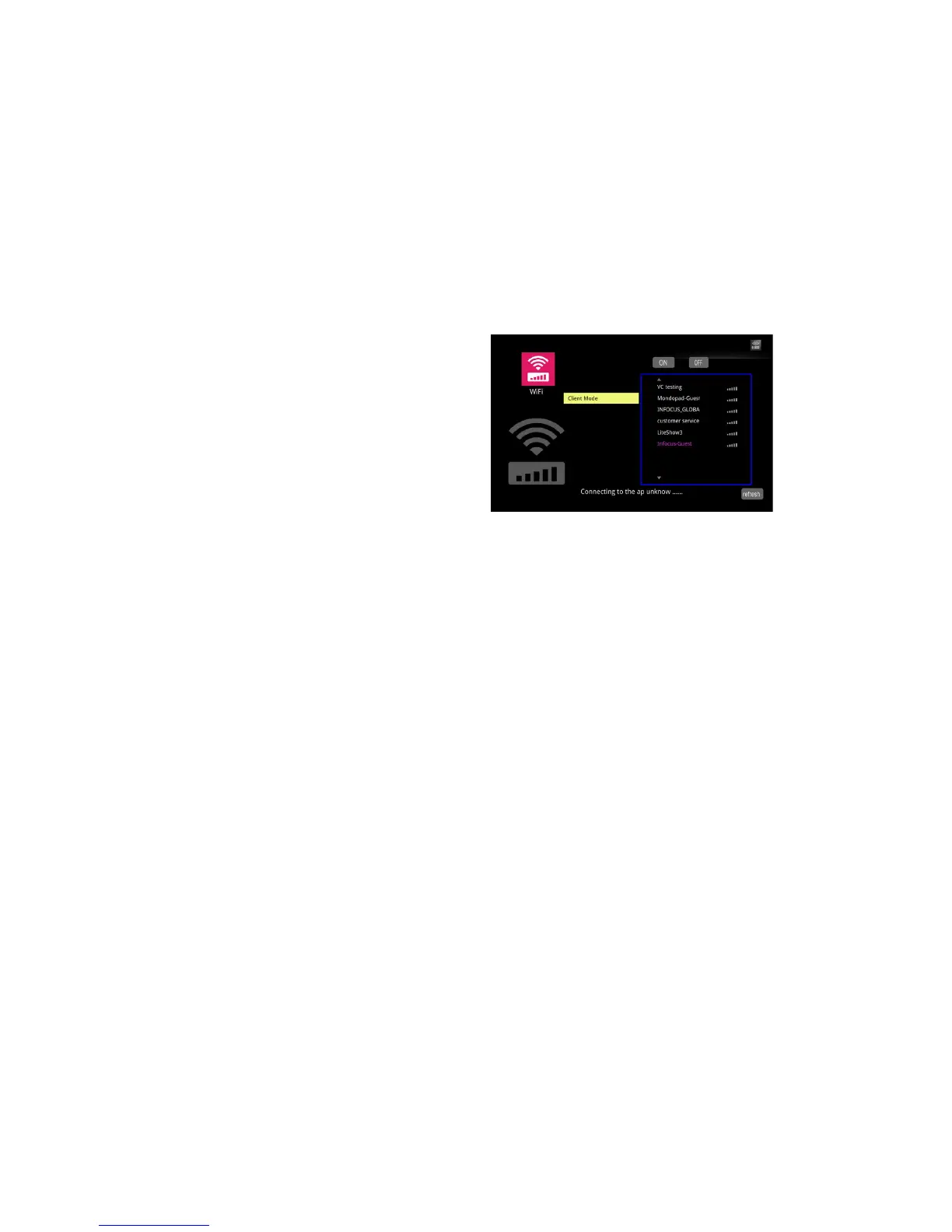
Client Mode
To connect to an existing WiFi network:
1 Highlight Client mode and press the Select key.
2 Use the left arrow to highlight On and press the Select key. The Settings menu
for Client Mode will open.
3 Highlight the desired SSID and press the Select key.
4 If necessary, select the correct PSK type for your network, ASCII or HEX16.
5 If necessary, select the correct index for your network (1-4).
6 If necessary enter the PSK, highlight PSK and press the Select key.
7 Using the arrow keys and onscreen keyboard, highlight an alphanumeric
character or symbol, and press the Select key.
8 Repeat until the PSK is complete.
9 Press the Menu key to exit the keyboard.
10 To accept the changes highlight OK and press the Select key.


 To Next Page