Use Miracast to view peer-to-peer wireless screencast.
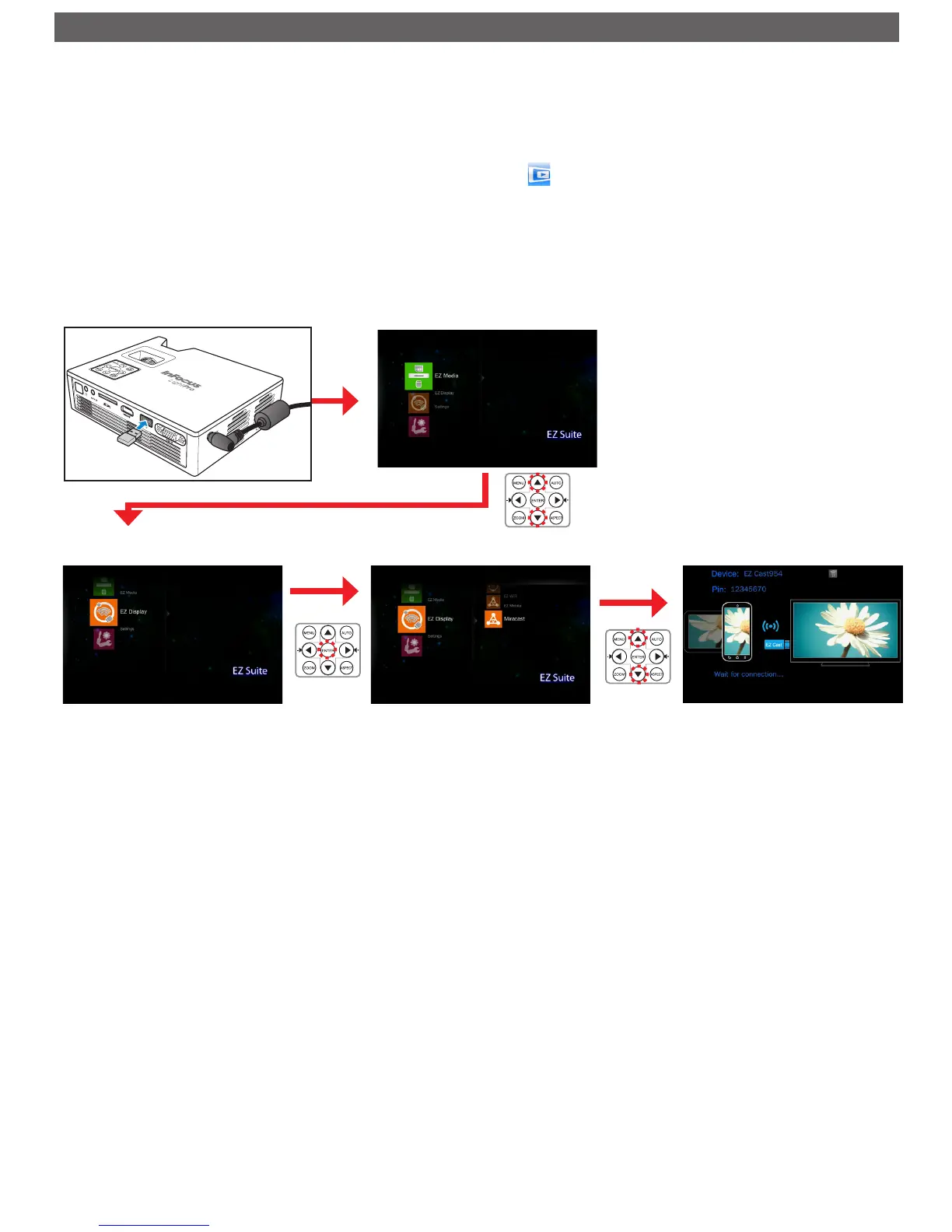
To start using Miracast, do the following:
1. In your portable device, download a peer-to-peer screencast application from the App Store (iOS) or Play Store (Android).
(For example, "MirrorOp Sender".)
2. Plug the optional Wi-Fi dongle (SP-WIFIUSB-2) into the projector.
3. Open a peer-to-peer screencast application on your portable device. (For example, tap ).
4. Enter Miracast in the projector's menu and wait until the connection to the portable device is established. (Home Menu > [EZ Display > [Miracast]).
Miracast
Enter [EZ Display]
Enter [Miracast]
Enter Home Menu
Plug in the Wi-Fi Dongle



 To Next Page