19
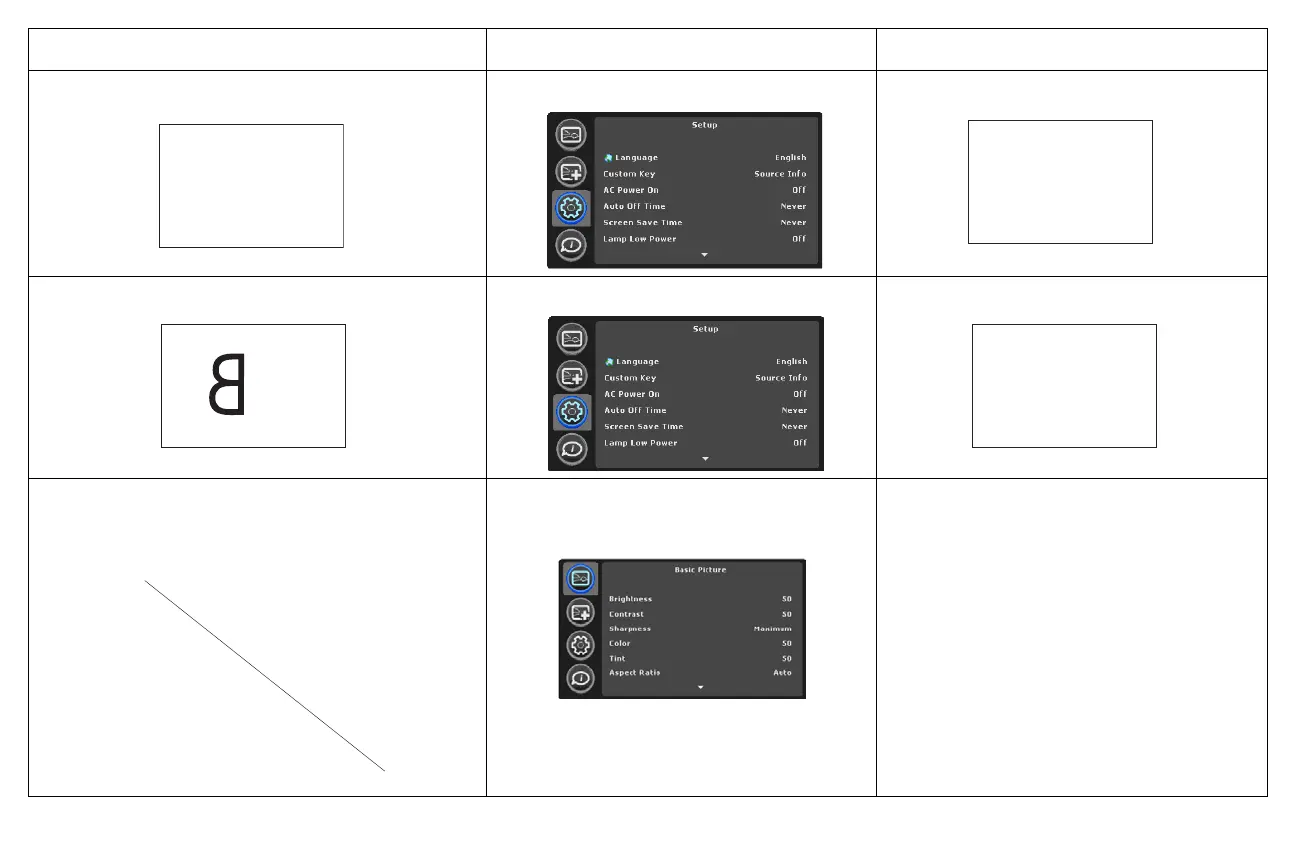
Problem Solution Result
image upside down
turn off Ceiling Mount in Setup menu
correct image
image reversed left to right
turn off Rear Project in Setup menu
correct image
projected colors don’t match source
adjust color, tint, brightness, contrast in the
Basic Picture menu
correct image
AB
AB
A
AB
COLOR
COLOR



 To Next Page