Page 19
INF8630eAG / INF8630AG Hardware Guide
Understanding the Display and External PC Connections
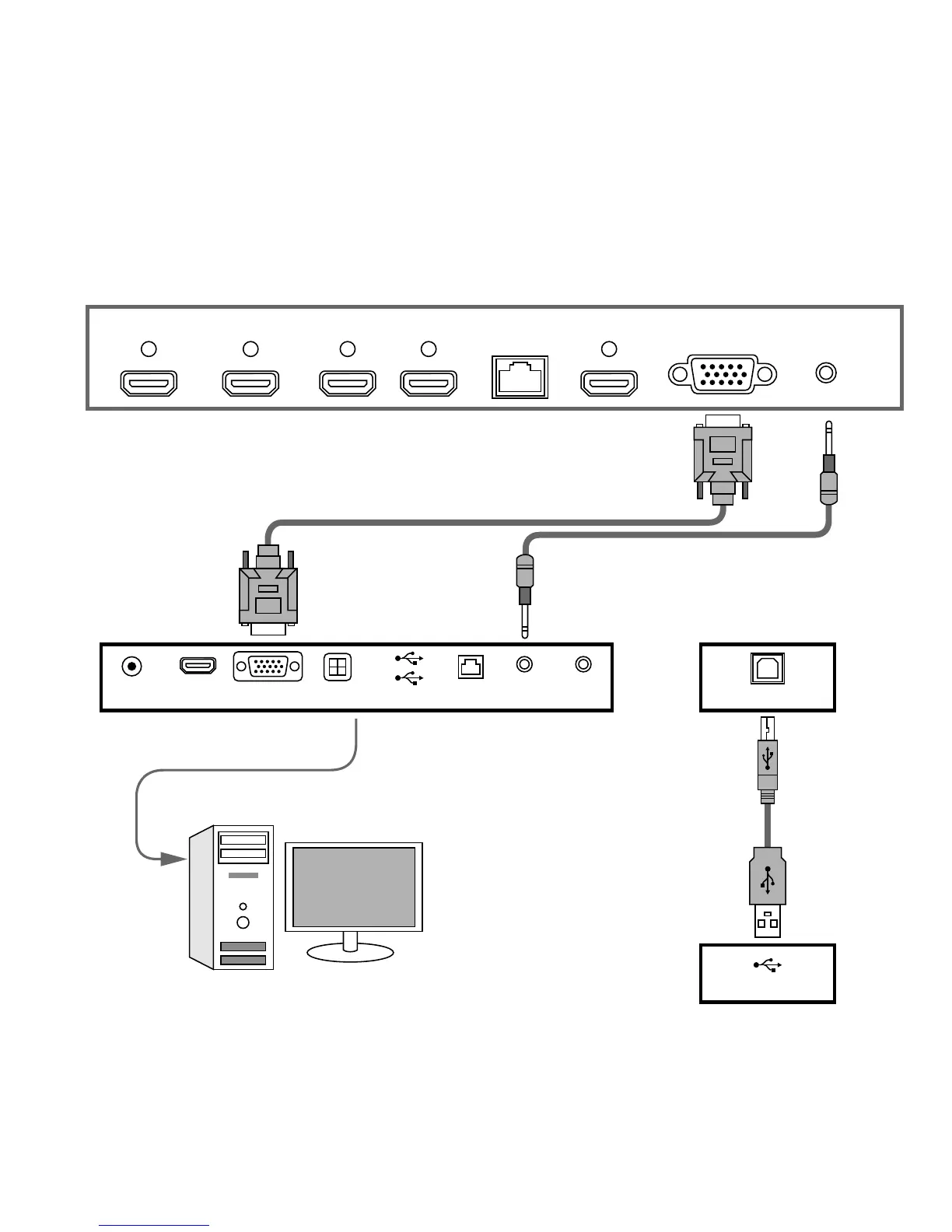
Follow the schematic drawing, below, to hook up an external PC.
Note: Remember to disconnect the display from power, before you connect/disconnect it from the PC.
HDMI 1
Under Display Ports
PC Ports
HDMI 2
HDMIDC-IN
HDMI 3 HDMI OUT HDMI 4 (MHL) VGA PC-AUDIOLAN
VGA SDIF USB LAN AUDIO-OUT MIC-IN TOUCH USB
USB



 To Next Page