Page 31
INF8630eAG / INF8630AG Hardware Guide
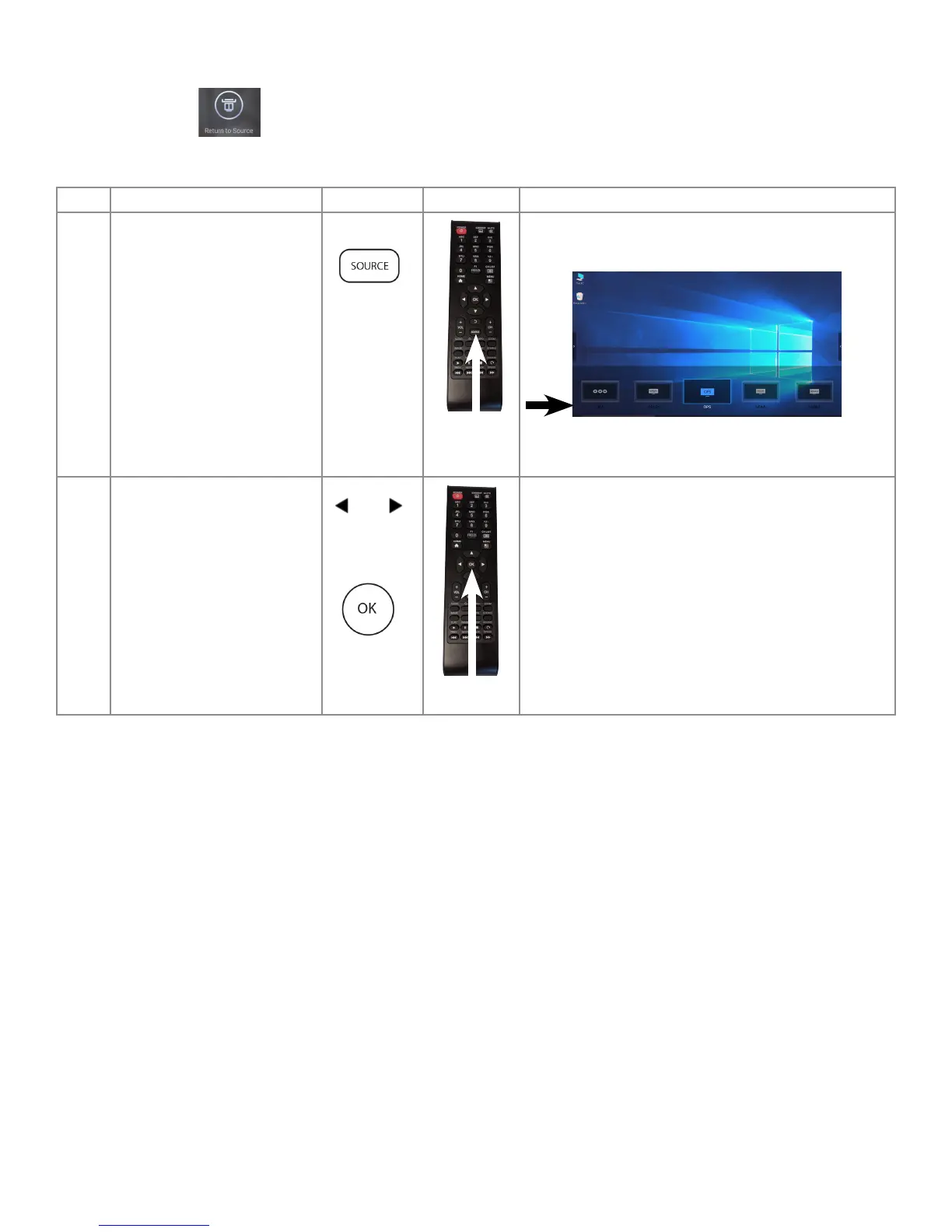
Selecting a Source Using The Remote
The "Return to Source" selection on the Home Screen displays the last source, which was selected.
To select a new source with the remote control, follow these steps:
Step Do This... Press Location Result
1 Press Source on the Remote.
The Source Menu Options display at the bottom of the
screen.
Note: The OPS (in bay PC) option is highlighted.
2 Navigate to port that is
connected to your desired
source, using the remote
arrows: then press OK.
The selected option is set as source.



 To Next Page