Page 24
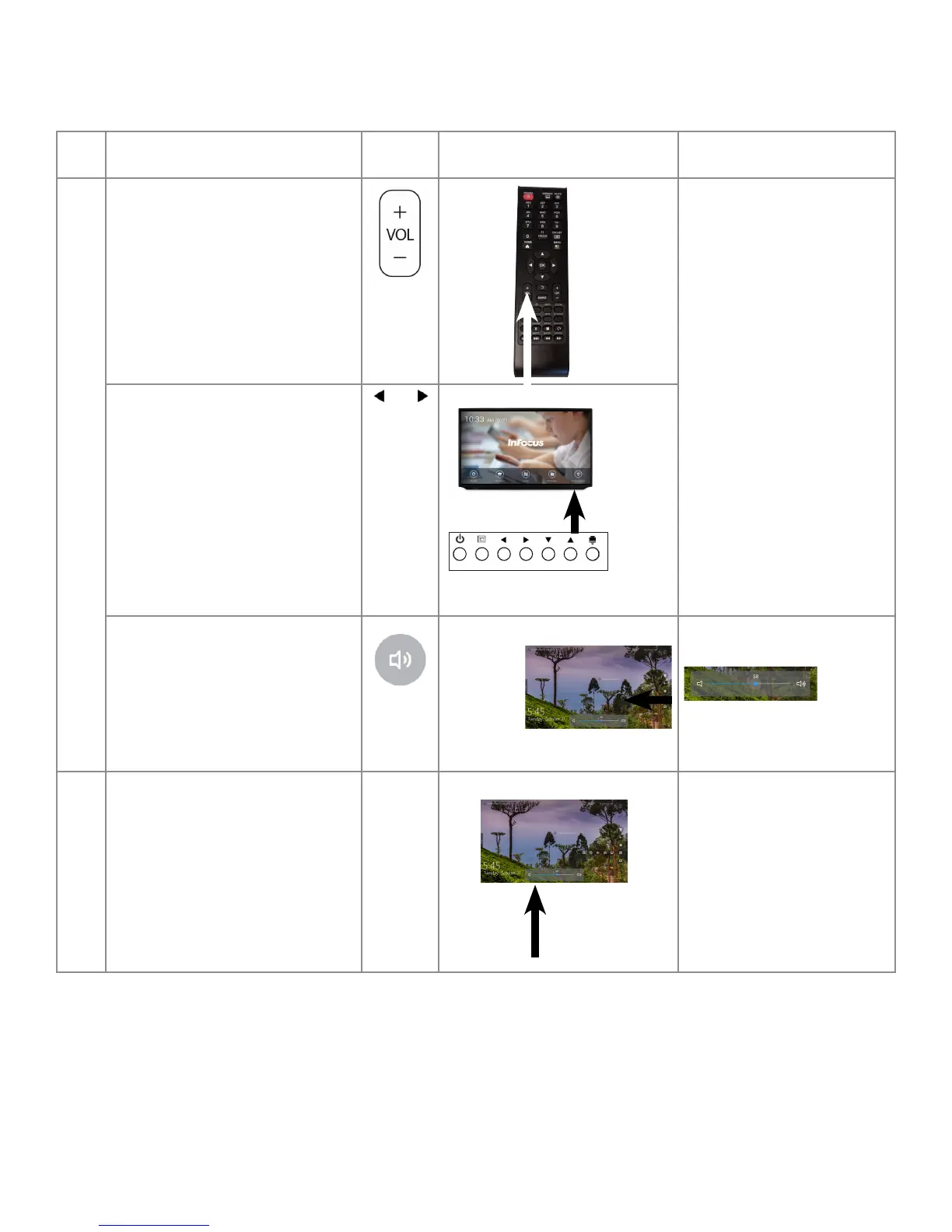
Adjusting Volume Without Using the On Screen Display Menus
To adjust the volume of the display from any screen without using the on screen display menus, take one of these actions.
Step Do this... Tap or
Press
Location Result
1 Press the Volume button on the remote
to increase or decrease the volume.
The volume changes.
Press the Arrow buttons on the lower
right of the display, to increase or
decrease the volume.
Touch the Volume button on the Total
Touch Control Menu.
Note: See "Selecting an Advanced
Function Option Using Touch Control"
on page 33.
A Volume Sliding Scale displays.
2 Slide the bar at the center of the scale
to the right to increase volume or left
to decrease volume.
The volume changes.



 To Next Page