8
Setting up the Projector
NOTE: Before you continue,
make sure the projector is
unplugged and your equipment is
turned off. If you’re connecting a
computer, make sure the distance
between it and the projector is 6
feet or less.
F
IGURE
5
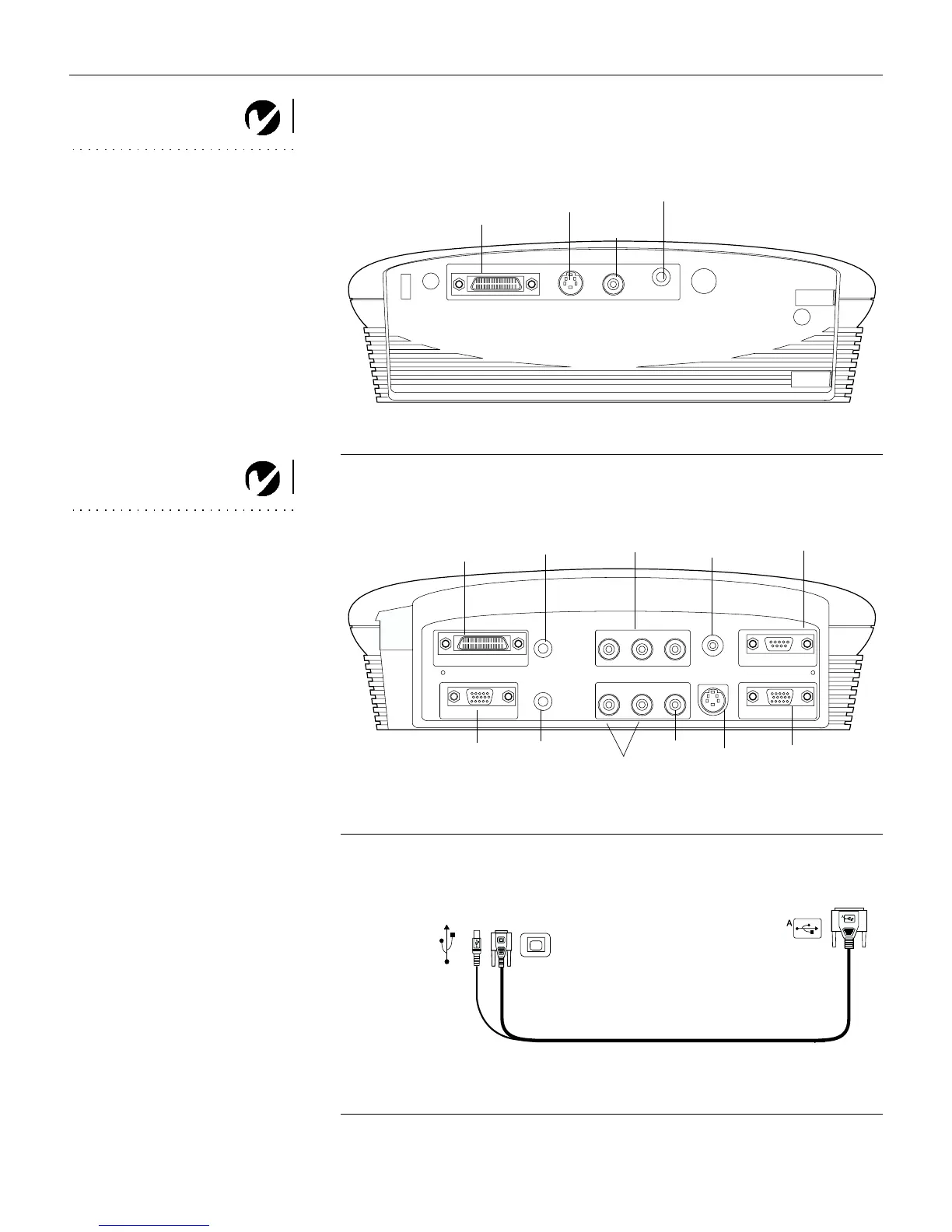
Connector panel
NOTE: The enhanced connectivity
module is an optional accessory
that provides RS-232, component
video, VESA computer, M1
computer, and monitor loop
through capabilities. See “Optional
Accessories” on page 56 for
ordering information.
F
IGURE
6
Connector panel on optional enhanced connectivity module
F
IGURE
7
Computer cable
S-video
composite
video
Audio in
computer
S-video
composite
video
wired remote
computer 1-M1
computer 2-VESA
component
video
monitor
RS-232
audio in
(for all video sources)
computer
audio in
computer
audio in
to computer video
to projector
to computer
to USB mouse





 To Next Page