29
Image Menu
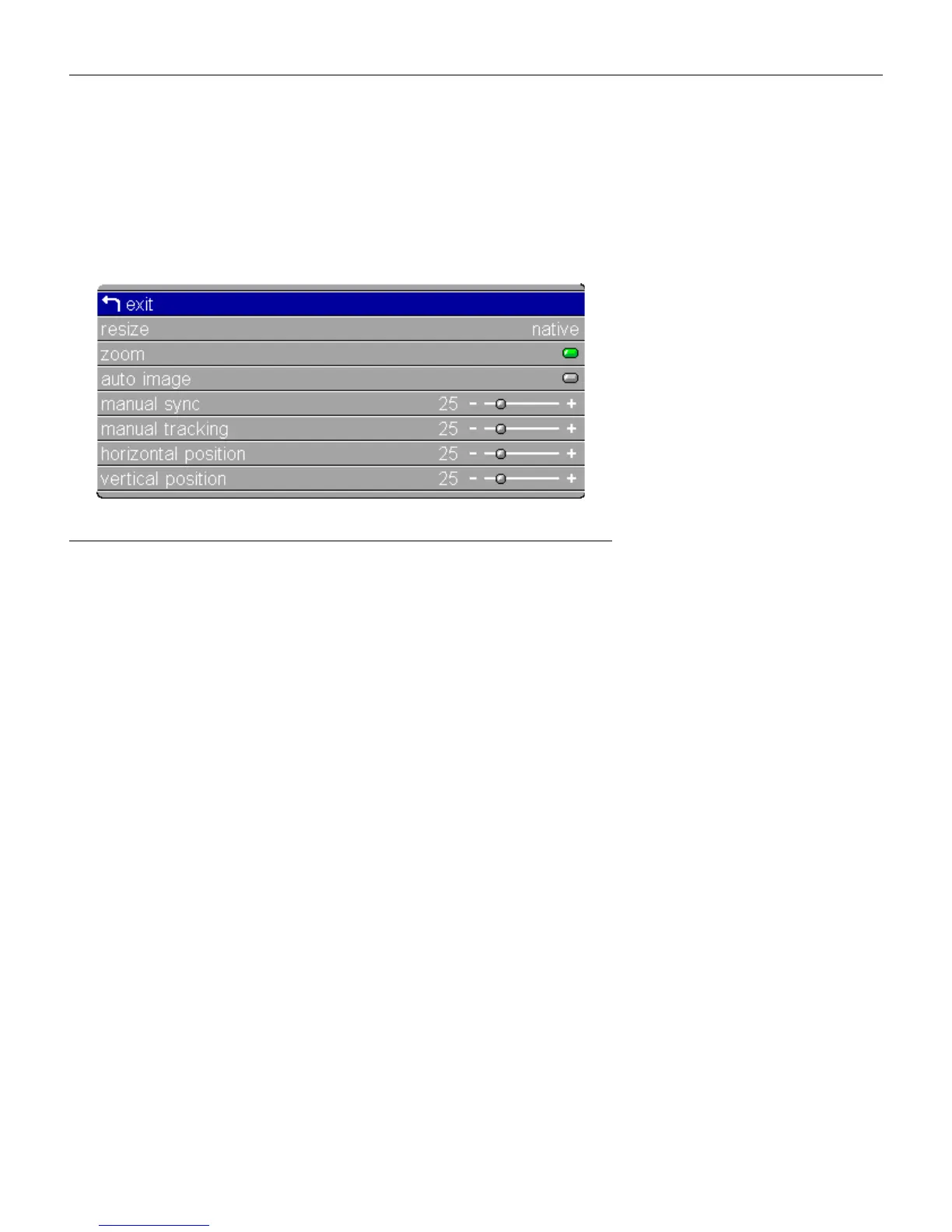
To access the Image menu settings, press the
menu/select
button
to display the Main menu, press the down arrow to highlight
Image, then press
menu/select
again to access the Image menu.
F
IGURE
22
Image menu for computer sources
Resize
Resize
allows you to select from among four different re-sizing
options. The default is
Standard
, which resizes the image from its
original version to fit a standard 4x3 aspect ratio screen.
Wide-
screen Letterbox
preserves the 16x9 aspect ratio of the original
theater version, but the image is placed in a 4x3 space, so black
bars appear at the top and bottom of the image.
Enhanced
Wide-
screen
also preserves the aspect ratio of the original theater ver-
sion and is designed to be used with content that is Enhanced for
Widescreen TVs. This option yields more detail than Widescreen
Letterbox.
Native
displays the image with no resizing.
Highlight
Resize
, press
menu/select
,
use the left or right arrow
buttons to cycle through the options, then press
menu/select
to
select.





 To Next Page