33
Control Menu
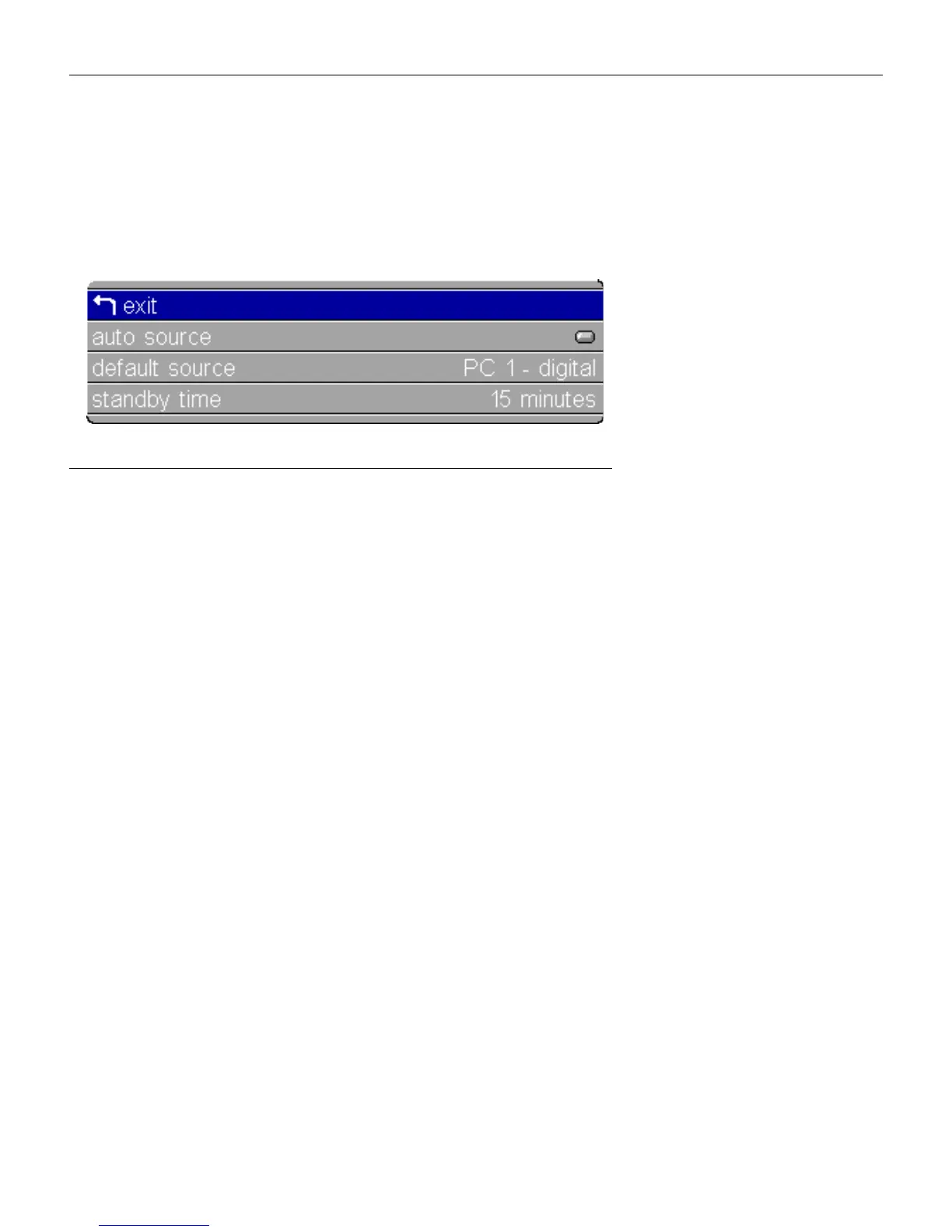
To access the Control menu settings, press the
menu/select
button
to display the Main menu, press the down arrow to highlight
Control, then press
menu/select
again to access the Control menu.
F
IGURE
24
Control menu
Auto Source
When this feature is On, the projector automatically finds the
active source, checking the default source first. When this feature
is Off, the projector defaults to the source selected in Default
Source. To display another source, you must manually select one
by pressing the
source
button on the keypad or the
data
or
video
button on the remote.
Highlight
Auto source
,
press
menu/select
, then press the left or
right arrow buttons to turn this feature off and on.
Default Source
This determines which source the projector checks first for active
video during power-up. Select among PC 1-Analog, PC 1-Digital,
Video1 S-Video, and Video 2-Composite (also PC 2-VESA and
Video 3-Component when using the optional connectivity mod-
ule).
Highlight
Default source
, press
menu/select
, use the left or right
arrows to cycle through the options, then press
menu/select
to
select.
Standby Time
This option lets you select how long the lamp stays on and the
blank screen is displayed when the projector enters standby
mode before the projector turns off. Select among 1, 5, 10, 15 and
30 minutes and 1 and 2 hours by clicking the left or right arrow
buttons and cycling through the options.





 To Next Page