INFOSEC UPS SYSTEM – 15, Rue du Moulin – 44880 Sautron – France – www.infosec-ups.com
Hot Line Tel : +33 (0)2 40 76 15 82 – fax : +33(0)2 40 94 29 51 – hotline@infosec.fr – 02 19 AA 59 203 07
History Events
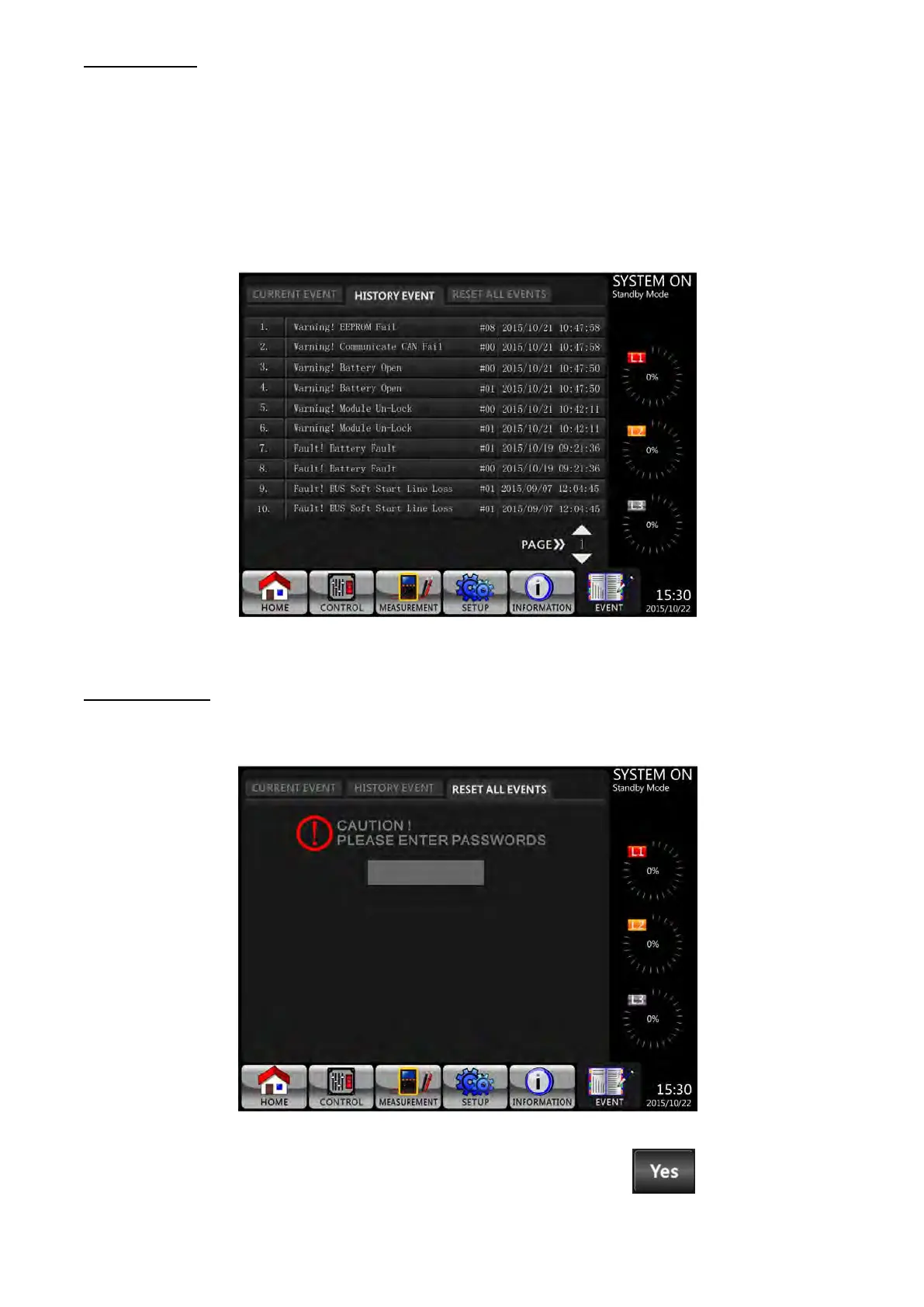
The detailed event information is saved in history events. It can save up to 500 events. When warning
occurs, it will display alarm code, alarm time and power stage/module ID*. When fault event occurs, it will
display alarm description, alarm time and power stage/module ID*. (Refer to Table 3-12 Alarm List) In order
to record more historical information about the UPS system, the important changes in setting (refer to Table
3-13 Warning List For Changing Important Settings), UPS operation mode changes (refer to Table 3-14
UPS Mode Changes) and control action execution (refer to Table 3-15 Control Execution) will be saved in
History Events. Refer to Figure 3-27 for the details.
*NOTE: Please refer to section 2-2 Front Door Open View to identify power stage/module ID.
History Events Screen
Reset All Events
It’s necessary to enter administrator password before accessing Reset All Events screen as shown in
Figure 3-28.
Reset All Events Screen
After entering a correct password, it will prompt for confirmed. Then, touch to reset all events or

 To Next Page
 Loading...







