INFOSEC UPS SYSTEM – 15, Rue du Moulin – 44880 Sautron – France – www.infosec-ups.com
Hot Line Tel : +33 (0)2 40 76 15 82 – fax : +33(0)2 40 94 29 51 – hotline@infosec.fr – 02 19 AA 59 203 07
failure.
2-6-5. Parallel System switch on procedure
7 Make sure that the sections 2-6-1 to 2-6-4 are correctly followed.
8 Check that the input and output breakers of each UPS have been turned “ON”.
9 Turn on the battery breaker.
10 Turn on the external AC source breaker to apply AC input source to both UPS.
11 Watch for any abnormal event message on the LCD display. (Refer to User Manual 3-2-7. Event
Screen)
12 Switch on the UPS by pressing the power button at the front panel of the UPS or through control page
on the LCD panel. (Refer to User Manual 3-2-3. Control Screen)
2-7. Software Installation
For optimal computer system protection, install the UPS monitoring software to fully configure UPS
shutdown.
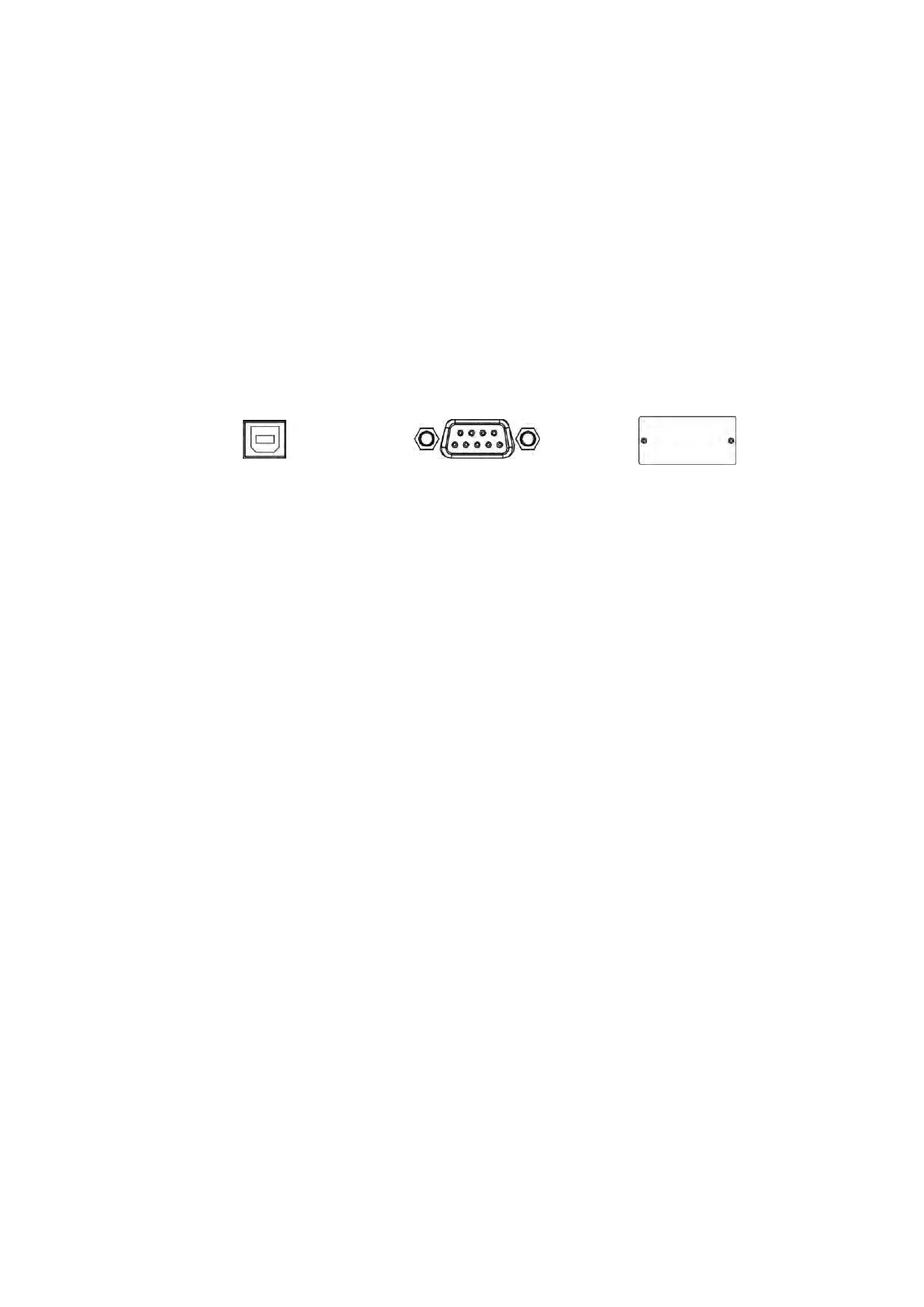
Communication ports:
USB port RS-232 port Intelligent slot
To allow for unattended UPS shutdown/start-up and status monitoring, connect one end of the
communication cable to the USB/RS-232 port and the other to the communication port of your PC. With the
monitoring software installed, you can schedule UPS shutdown/start-up and monitor UPS status on your
PC.
The UPS is equipped with an intelligent slot, ideal for either an SNMP or AS400 card. When installing either
an SNMP or AS400 card in the UPS, it will provide advanced communication and monitoring options.
Note: A USB port and RS-232 port cannot work at the same time.

 To Next Page
 Loading...







