INFOSEC UPS SYSTEM – 15, Rue du Moulin – 44880 Sautron – France – www.infosec-ups.com
Hot Line Tel : +33 (0)2 40 76 15 82 – fax : +33(0)2 40 94 29 51 – hotline@infosec.fr – 02 19 AA 59 203 07
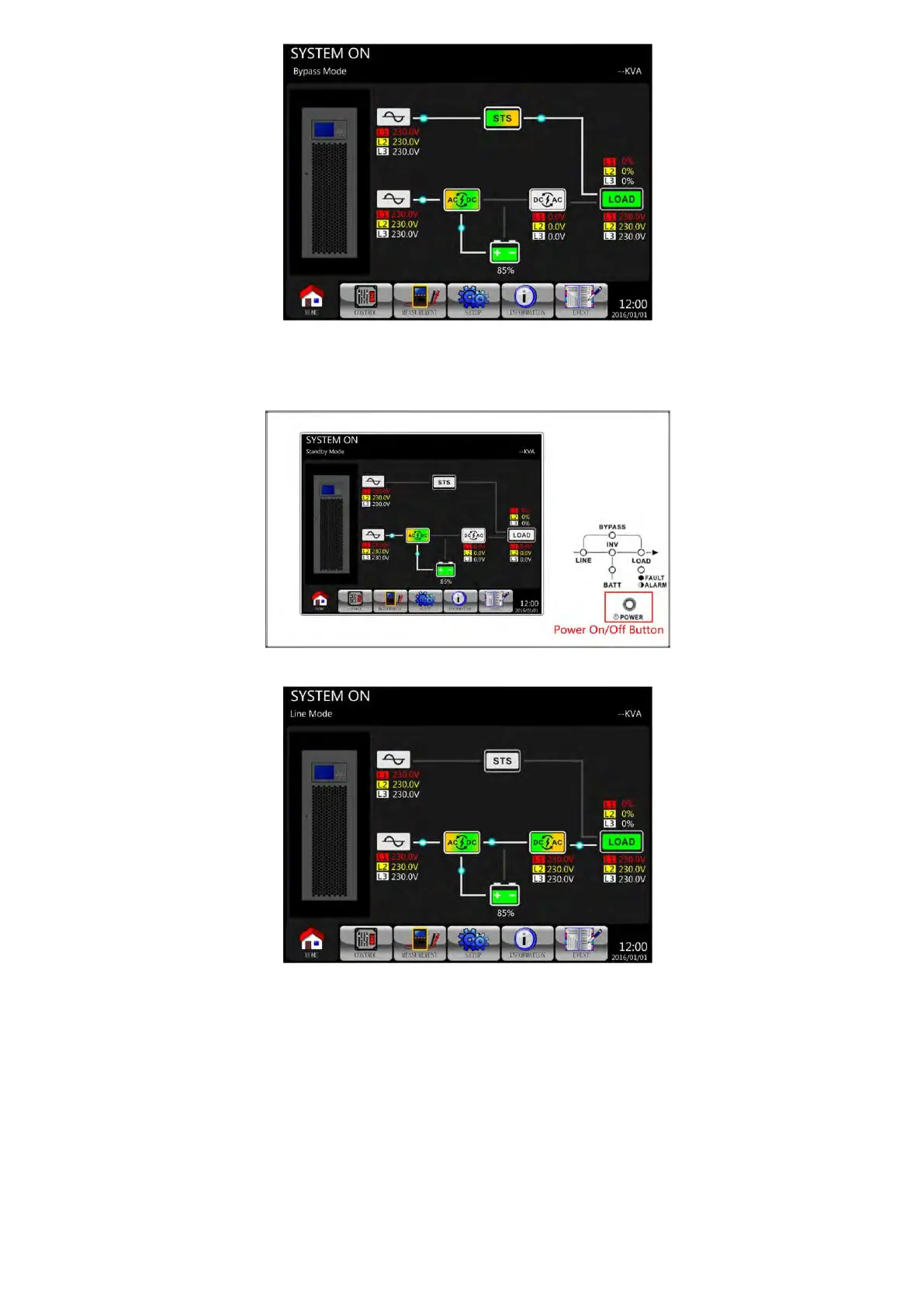
Step 5: Make sure that there is no warning or fault event. If yes, please refer to Chapter 7 Troubleshooting
to resolve it.
Step 6: Press POWER button for two seconds to enter into Line Mode as shown below.
After POST (Power-On Self-Test), the UPS will enter into the Line mode.
Step 7: Switch ON the output breaker (Q3). AC startup procedure is now complete.
6-2. Cold Start Startup
Step 1: Switch ON the battery Breaker.
Step 2: Press the “Battery Start” button on any one of power stages/modules to start up the control power.

 To Next Page
 Loading...







