INFOSEC UPS SYSTEM - 4, rue de la Rigotière - 44700 Orvault - FRANCE - www.infosec-ups.com
Hot Line – Tel + 33 (0)2 40 76 15 82 - Fax + 33 (0)2 40 94 29 51 - hotline@infosec.fr – 03 11 AA AA 201 18
41
Screen 5.5: This is a screen for technical service, to know the state of the different parts of the UPS at the
moment the registered alarm was activated.
6.3.7 ‘‘CONFIGURATION’’ level (screen menu 6.0).
Fig.29. Screen 6.0 “Configuration”.
At this level an authorised password will be required to modify some advanced parameters.
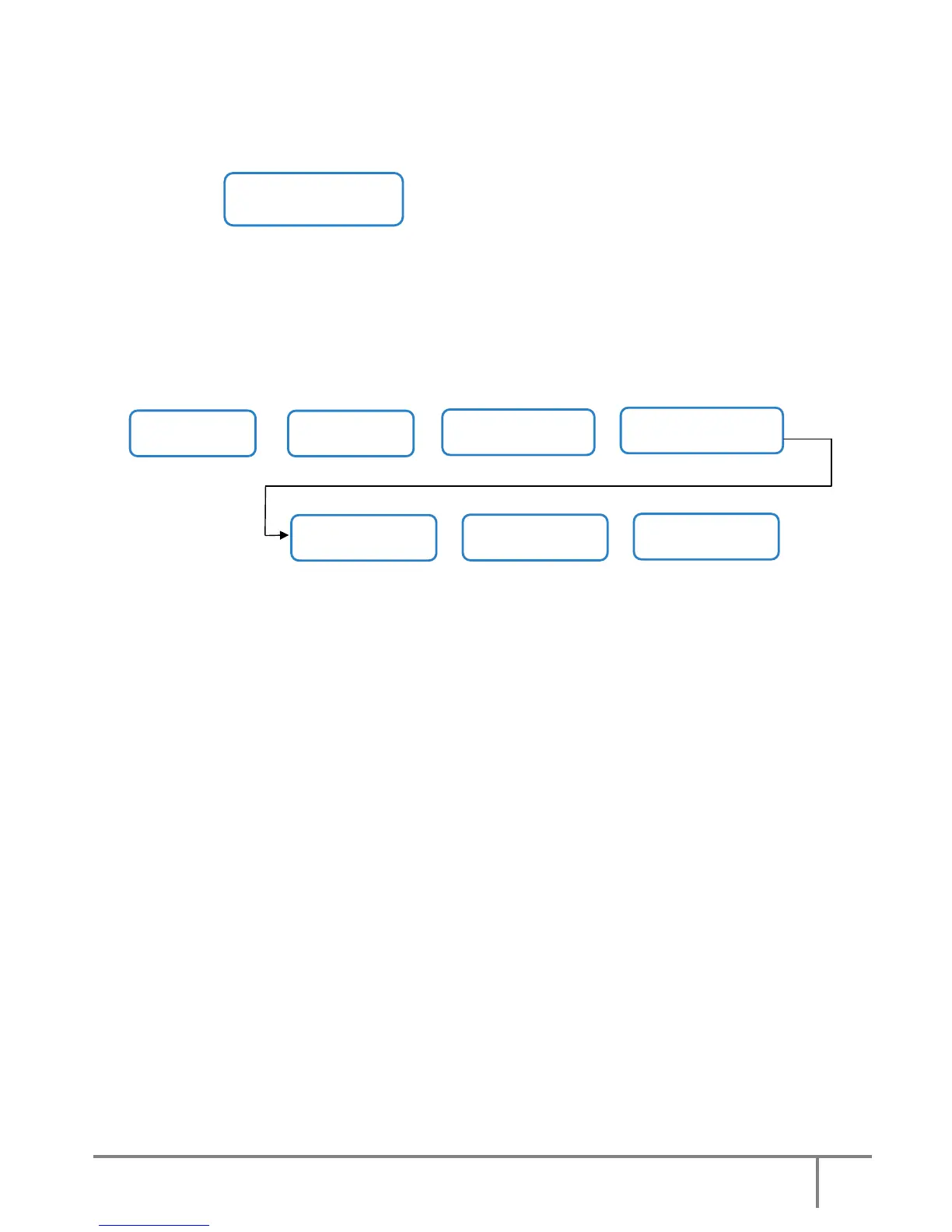
6.3.8 Rated values screens (screen menu 7.0).
Fig.30. Screen 7.0 “Rated values” and its submenus.
To modify the rated values on the screens of this submenu, the “Password” has to be entered on the previous
screen 6.0, otherwise they will be “view only”.
Screen 7.1: This screen shows the Rated Input Rectifier Voltage and Rated Input Bypass Voltage.
Screen 7.2: This screen shows the Input Rectifier Voltage Upper Margin and Input Rectifier Voltage Lower
Margin.
Screen 7.3: This screen shows the Input Bypass Voltage Upper Margin and Input Bypass Voltage Lower
Margin.
Screen 7.4: This screen shows the Rated DC Bus Voltage and the Rated Output Current.
Screen 7.5: This screen shows the Rated Inverter Voltage and Rated Output Voltage.
Screen 7.6: This screen shows the Rated Battery Charging Current.
()
()
()
()
()
()
(*1) Screen 7.0
RATED VALUES
(*1) Screen 7.1
I. Voltage = 230 V
B. Voltage = 230 V
(*1) Screen 7.2
I.V Min. Marg = 22%
I.V Max. Marg = 15%
()
()
(*1) Screen 7.4
DC Bus Volt = 425 V
Out. Current=86.9 A
()
()
(*1) Screen 7.6
Batt. Charging Current
3.6 A
(*1) Screen 7.5
Inv Voltage= 230 V
Out Voltage = 230 V
(*1) Screen 7.3
Byp. Min. Marg = 17%
Byp. Max. Marg = 12%













 To Next Page