14 Programming the SmartLink-GP
Programming manual
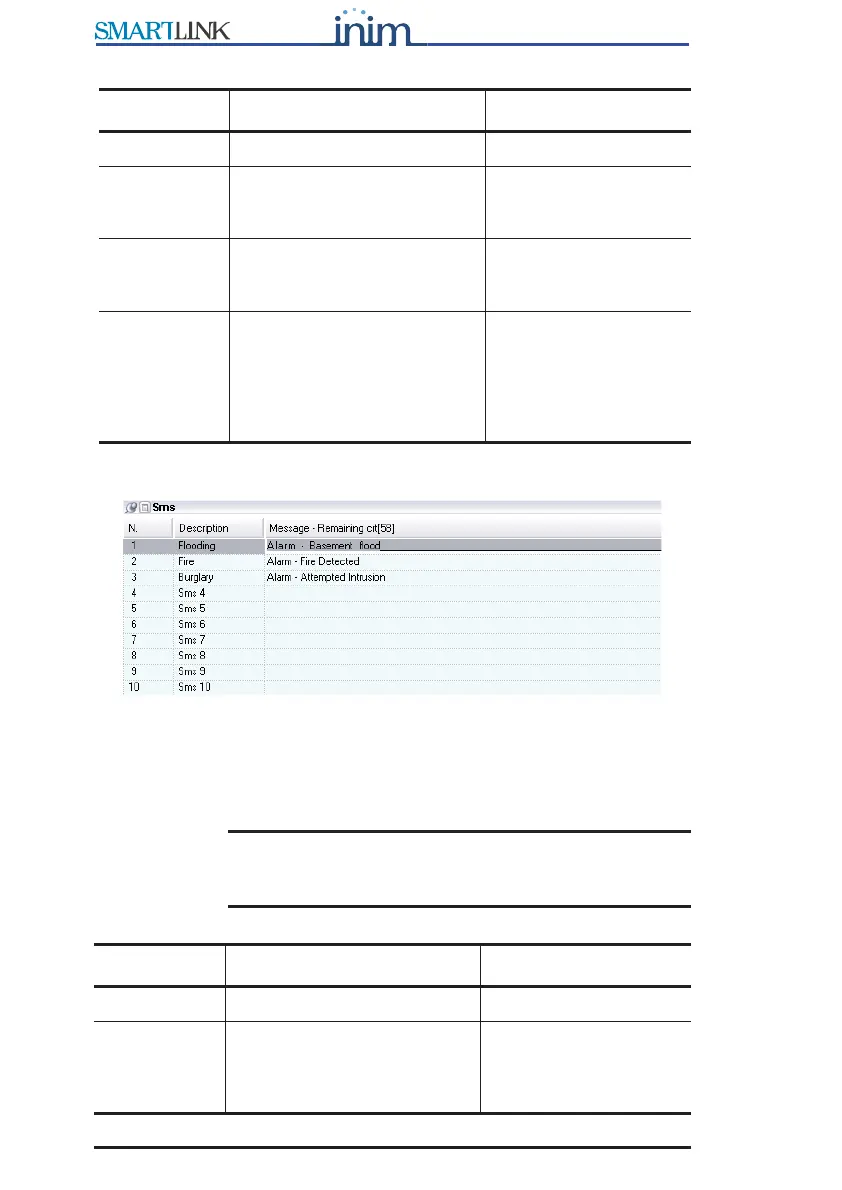
3.5.2 Setting up the SMS dialler messages
Figure 2 - SMS table
The SmartLink-GP manages 10 SMS text messages to communicate
recognized events (trouble, input status change, periodic events, etc.) to the
numbers in the Phonebook. For example, you can pre-set an SMS text
message to warn users of 'flood below deck or basement flood'.
Note: When programming the SMS dialler, you must at least
define the SMS text message description, the text can
be entered successively.
Parameter Description Note
No. Phone number slot
Description Description which identifies
the event-associated phone
number.
Phone
number
number including national
and, if necessary,
international phone code.
Diverted
messages
Diverts SMS text messages
from enabled phone numbers
to the phone number (Divert
SMS option from the Phone
number functions table).
For example, this
option will allow you to
view which SMS text
messages SmartLink-
GP receives from the
numbers concerned.
Parameter Description Note
No. SMS text message slot
Description The description which
identifies the event-
associated SMS text
message.



 To Next Page