Programming the SmartLink-GP 13
Programming manual
• Activate/Deactivate outputs
• Generate constraint
6. Program periodic events
3.5 Settting up contact data
3.5.1 Settting up outgoing call numbers
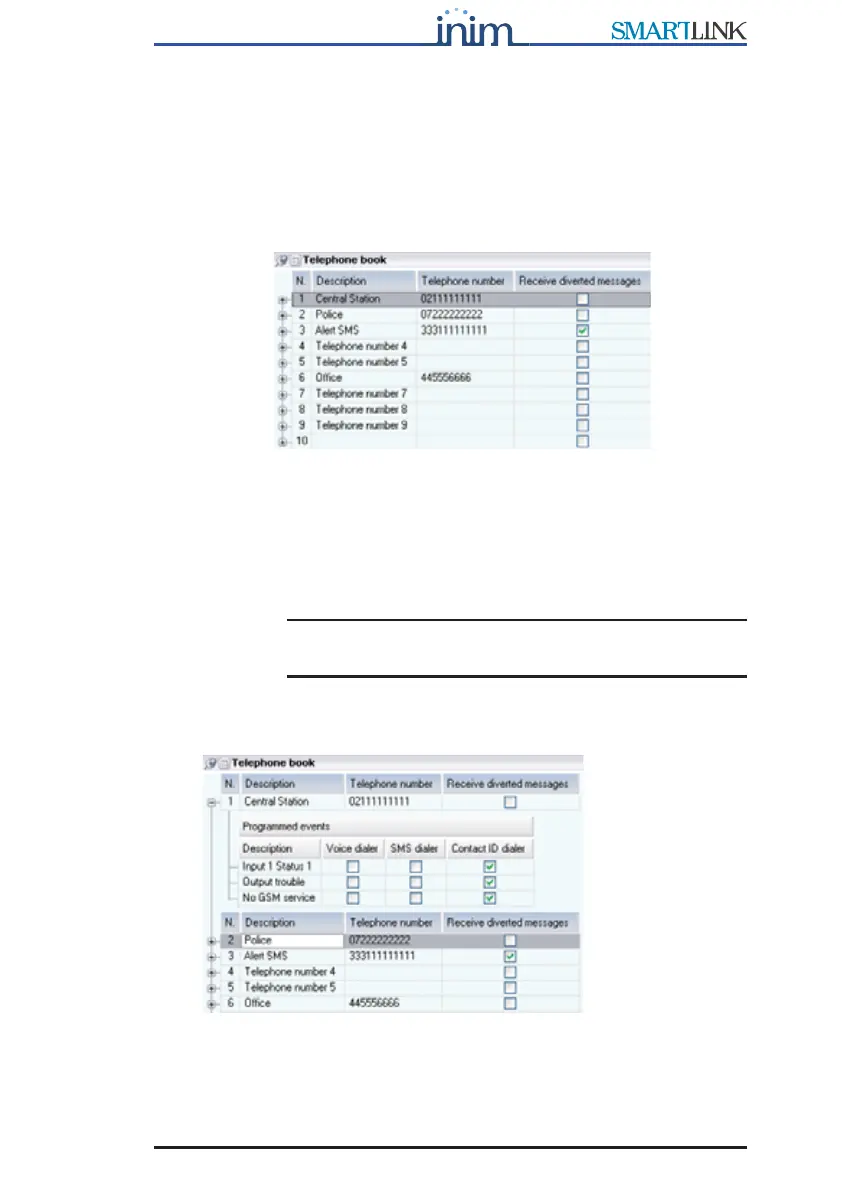
Figure 1 - Phonebook
The SmartLink-GP sends outgoing Contact ID reports, voice message calls
and event-generated SMS text messages (direct or diverted) to the 10 phone
numbers in the phonebook.
For example, Central station numbers for Contact ID reports or the phone
numbers for SMS text messages.
Note: International numbers must be entered in the following
format: +xxyyyyyyyyy (e.g. “+390611111”).
To view events which generate outgoing calls to the phone number
concerned, select ‘+’ next to the progressive number:



 To Next Page