36
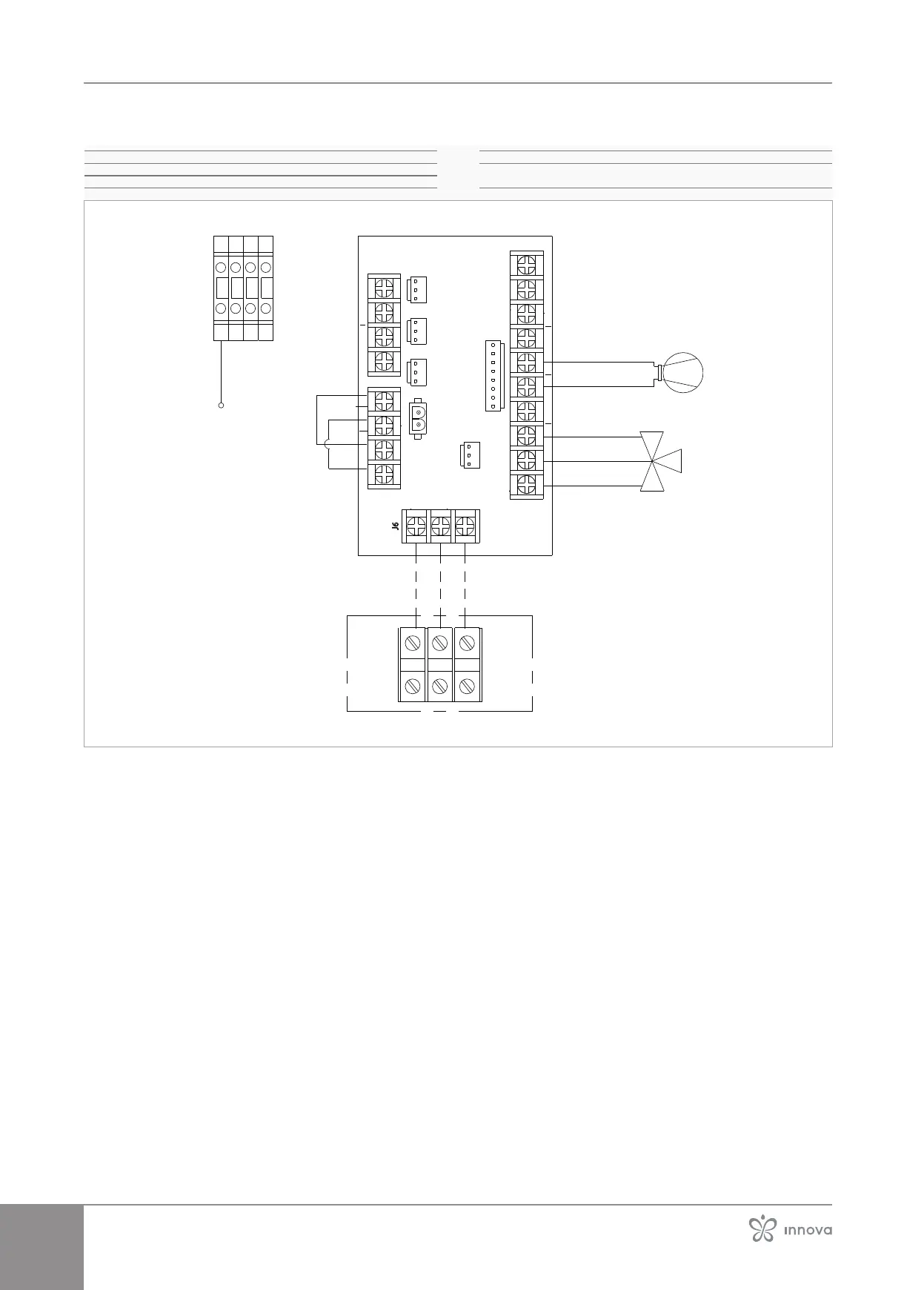
Connection boards
XP1 Power connection terminal block
XP3 Terminal block for earth connection
PE Earth connection
1-2 morsetto J6 Indoor unit power supply 230V AC
2-3 morsetto J6 Power line communication outdoor unit - indoor
unit
21 3
J8
J7
J9
J10
J4
J5
J11
3J
1J
J6
L/1 N/2 3
3 N L
N L
NL NL N
N
L
L4N L3N L2N L1
J13-1 J13-2 J13-3J13-4 J13-5 J13-6 J13-7 J13-8
J13
L L1 L N L N N L1-O L2-CN
PMV1-3P
PP3
PP4PV1/PP2
N-3vie L-3vie J13-8 J13-7 J13-6 J13-5 J13-4 J13-3 J13-2 J13-1
PE PEPEPE
PE
PP3
MARRONE/BROWN
BLU/BLUE
VERDE/GREEN
MARRONE/BROWN
BLU/BLUE
The unit leaves the factory with terminals J1 and J3
jumpered.
If necessary, a protection switch can be connected to ter-
minals J1 and J3 by removing the jumpers inserted at the
factory.
Attention, opening the protection switch does not
completely disconnect the power supply to the
unit.TerminalsJ6remainpoweredbytheoutdoor
unit.
To completely disconnect the power supply, the
protectiveswitchonthepowersupplylineofthe
outdoor unit must be opened.



 To Next Page