NV9 USB Manual Set – Section 1 9
Copyright © Innovative Technology Ltd 2012 GA00550-2
The NV9 USB Validator leaves the factory preset to at
least one currency and one interface so that it is ready
for immediate installation. The dataset and interface
used are shown on the label fixed to the top of the
validator head.
1.5 Connector and Pinouts
The NV9 USB Validator has a single connector that is used to allow interfacing and
programming.
Power always required
regardless of connection
type.
Power is always required on pins 15 and 16 of the
16 way connector.
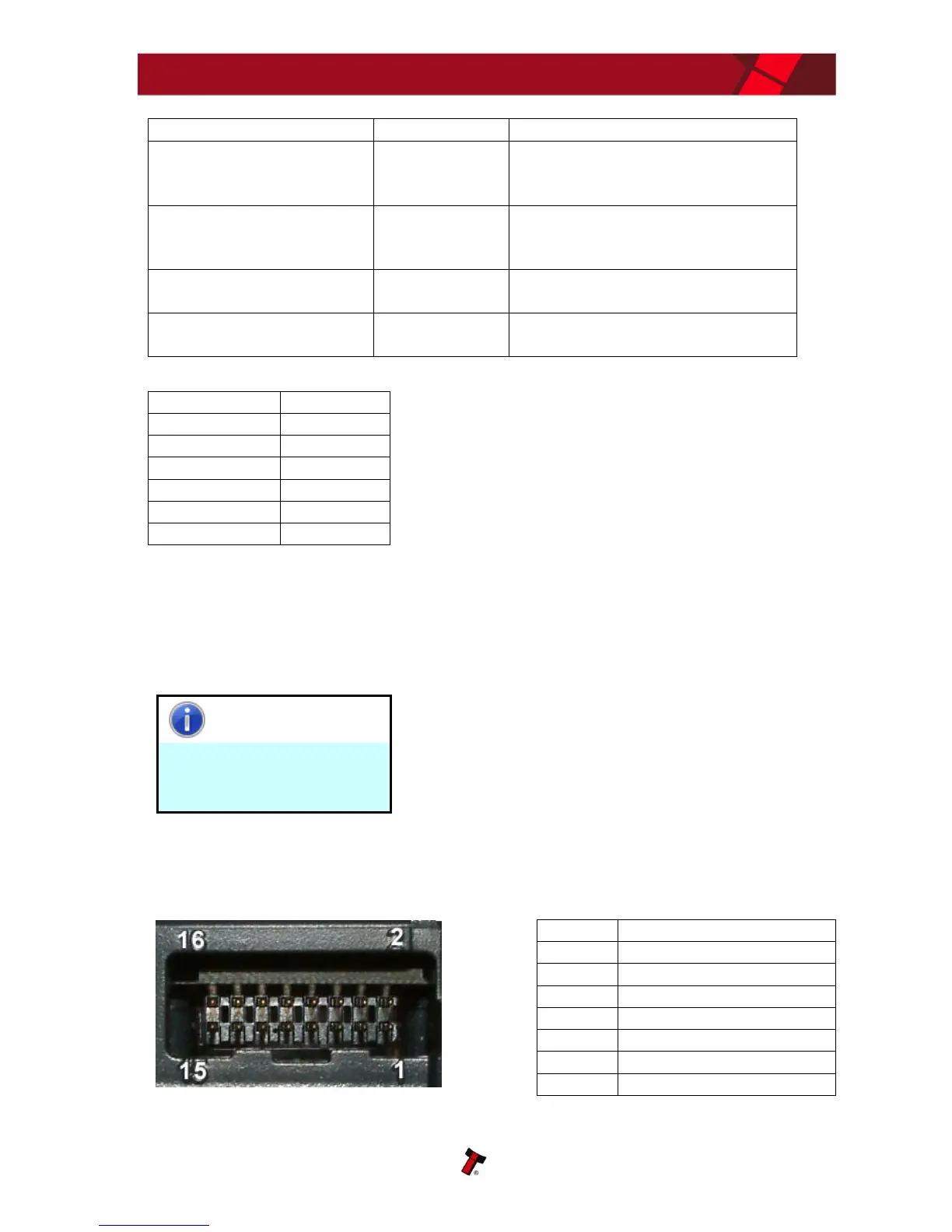
The connector is a 16 pin socket used to interface the NV9 USB to the host machine.
The pin numbering of the socket is shown below, as well as an overview of the socket
connections:
Press and hold (more than
2 seconds) until the bezel
illuminates, then release
Sets validator to Programming
mode (SSP)
Press once (less than 1
second)
Enables Configuration Card
programming – press again to
cancel this mode
Press twice (within half a
second)
Shows current interface type (see
flash count table below)
Press and hold as validator
is powered up
Resets to factory settings















 To Next Page