En-34
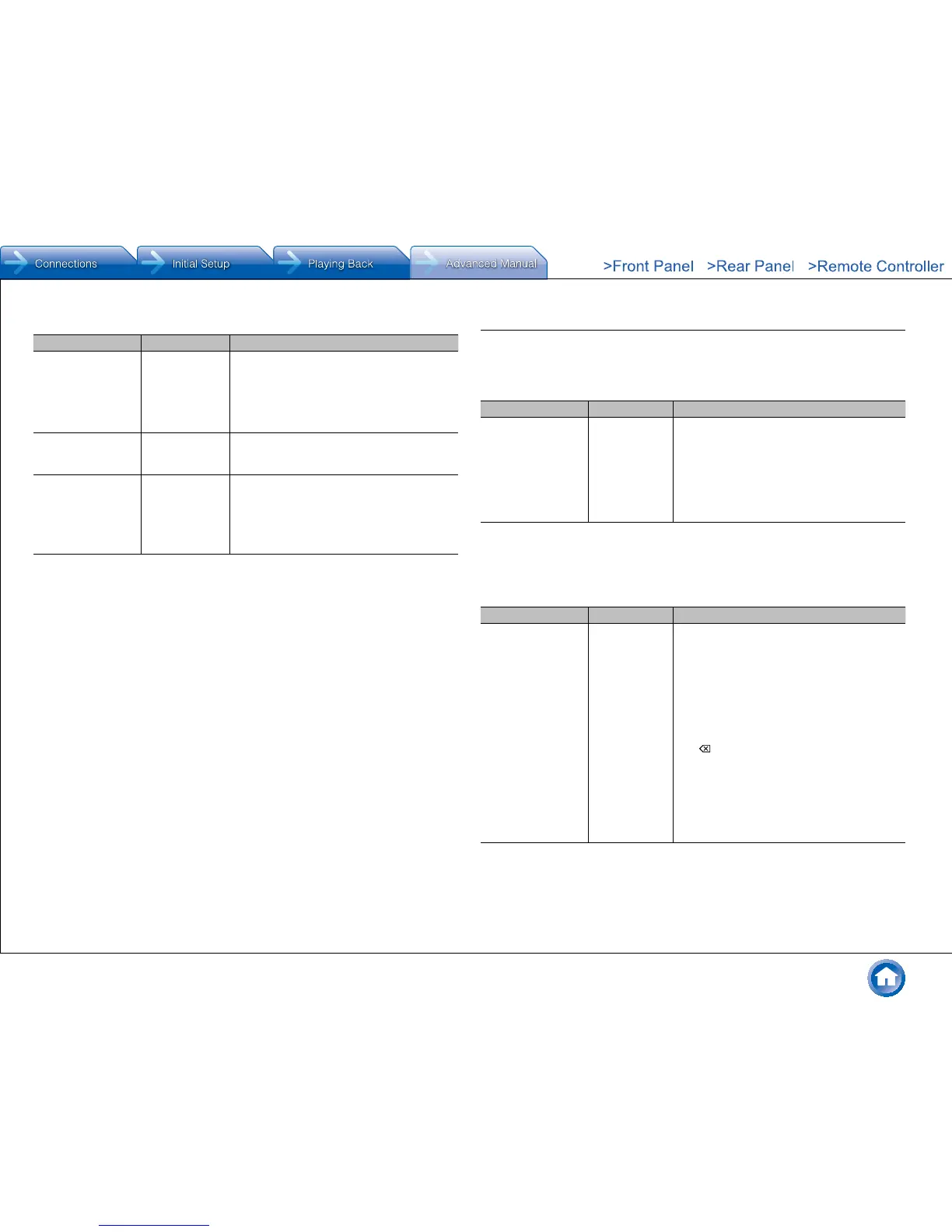
Multi Zone
Setting Item Default Value Setting Details
Zone 2 Out Fixed Select which of the integrated amplifier in a
separate room or this unit should be used to
adjust the volume when Zone 2 is active�
"Fixed": Adjust on the Integrated amplifier in a
separate room
"Variable": Adjust on the unit
Zone 2 Maximum
Volume
Off Set the maximum value for Zone 2 to avoid too
high volume�
Select a value from "Off", "30" to "79"�
Zone 2 Power On
Volume
Last Set the Zone 2 volume level of when Zone2 is
set to on� Select a value from "Last" (Volume
level when the unit was turned off), "Min", "1" to
"79" and "Max"�
● You cannot set a higher value than that of
"Zone 2 Maximum Volume"�
4� Source
Make settings for input sources, such as volume difference adjustments for each input
selector for the connected equipment� Select the input selector to configure�
IntelliVolume
Setting Item Default Value Setting Details
IntelliVolume 0 dB Adjust the volume level difference between the
devices connected to the unit� Select a value
between "-12 dB" and "+12 dB"� Set a negative
value if the volume of the target device is larger
than the others and a positive value if smaller�
When you select a desired input to check the
audio, start playback of the connected device�
● This function is not effective in Zone 2�
Name Edit
Set an easy name to each input� The set name will be shown on the main unit display�
Select the input selector to configure�
Setting Item Default Value Setting Details
Name Input name 1� Select a character or symbol with the
cursors and press Enter�
Repeat it to input 10 or less characters�
"A/a": Switches between upper and lower
cases� (Pressing +10 on the remote
controller also toggles between upper and
lower cases�)
"←" "→": Moves the cursor to the arrow
direction�
"
": Removes a character on the left of the
cursor�
"Space": Puts a space�
● Pressing CLR on the remote controller
will remove all the input characters�
2� After inputting, select "OK" with the cursors
and press Enter�
The input name will be saved�
● To name a preset radio station, press Tuner on the remote controller, select AM/FM and select the
preset number�
● It cannot be set if the "NET" or "BLUETOOTH" input is selected�



 To Next Page