En-36
5� Listening Mode Preset
You can preset your favorite listening mode to each input� (For example, you can always
apply straight decode to the Dolby TrueHD source of Blu-ray Disc to play it in unchanged
sound field�)
When the list of input sources is displayed, set the signal type and listening mode�
Although it is possible to select the listening mode during playback, the selected mode will
be reset when the unit enters standby mode�
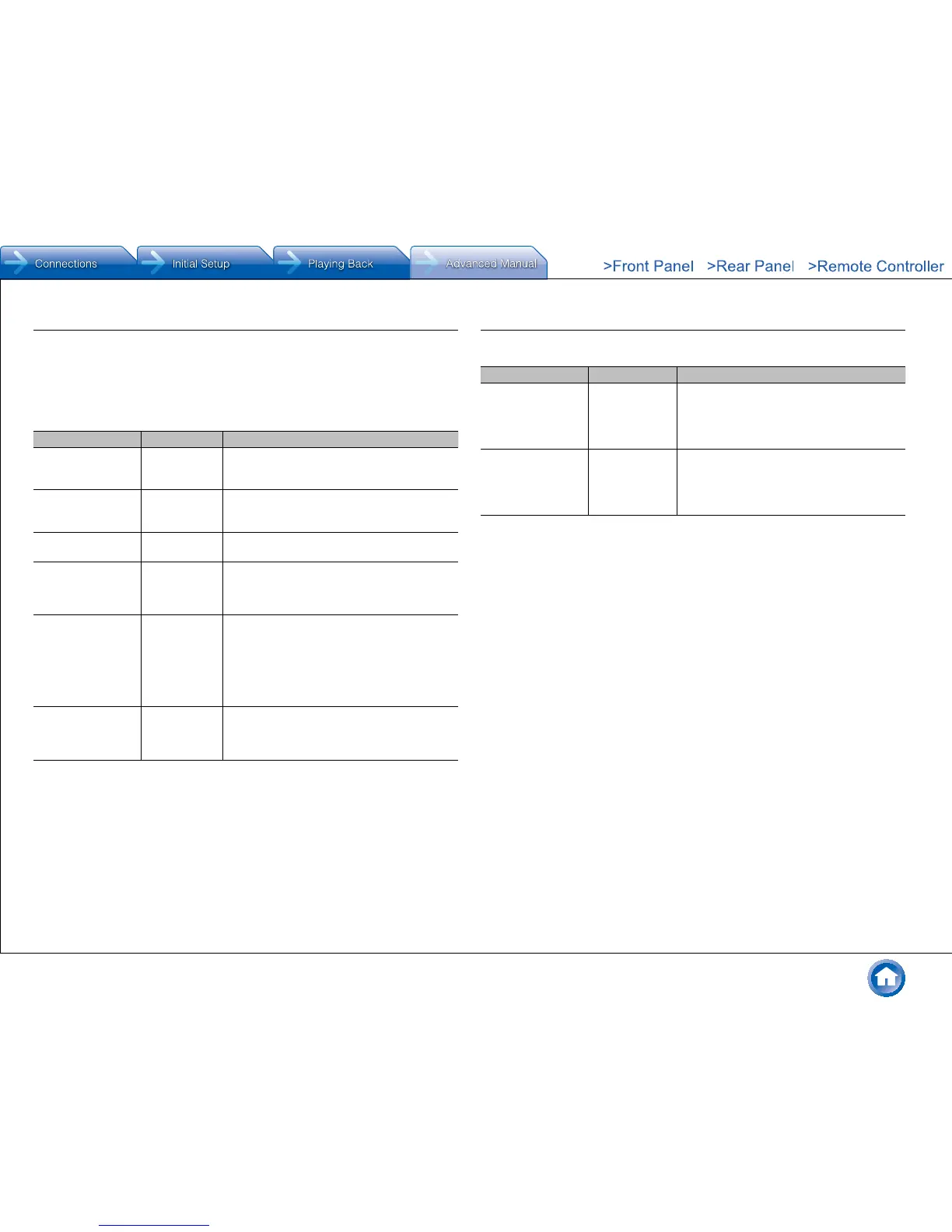
Setting Item Default Value Setting Details
Analog/PCM All Ch Stereo Set the listening mode for playing PCM signals
of CD and analog signals of record and cassette
tape�
Mono/Multiplex Full Mono Set the listening mode for playing Dolby Digital
and other digital signals recorded in monaural or
multiplex audio�
2 ch Source Dolby Surround Set the listening mode for playing Dolby Digital
and other digital signals recorded in 2 channels�
Dolby D/Dolby D+/
TrueHD
Dolby Surround Set the listening mode for playing Dolby Digital,
Dolby Digital Plus and Dolby TrueHD signals�
● Input signals are played as they are input if
you select "Straight Decode"�
DTS/DTS-ES/
DTS-HD
Straight Decode
Set the listening mode for playing digital audio
signals in DTS and DTS-HD High Resolution
formats� Select the listening mode specified for
Blu-ray or such other DTS-HD Master Audio
source�
● Input signals are played as they are input if
you select "Straight Decode"�
Other Multich Source Dolby Surround Set the listening mode for playing DVD-Audio
that are input from HDMI IN jack�
● Input signals are played as they are input if
you select "Straight Decode"�
● Available listening modes vary depending on speaker configuration and the input signal�
● Setting "Last Valid" will always select the last selected mode�
● Only "Analog" can be set to the "TUNER" input�
● "Digital" and "TrueHD" can be set to the "NET" input�
● Only "Digital" can be set to the "BLUETOOTH" input�
6� Hardware
Tuner
Setting Item Default Value Setting Details
AM/FM Frequency
Step (North American
models)
10kHz/0�2MHz Select a frequency step depending on your
area of residence�
Select "10kHz/0�2MHz" or "9kHz/0�05MHz"�
● When this setting is changed, all radio
presets are deleted�
AM Frequency Step
(Australian models)
9kHz Select a frequency step depending on your
area of residence�
Select "10kHz" or "9kHz"�
● When this setting is changed, all radio
presets are deleted�



 To Next Page