118
Advanced Setup—Continued
]
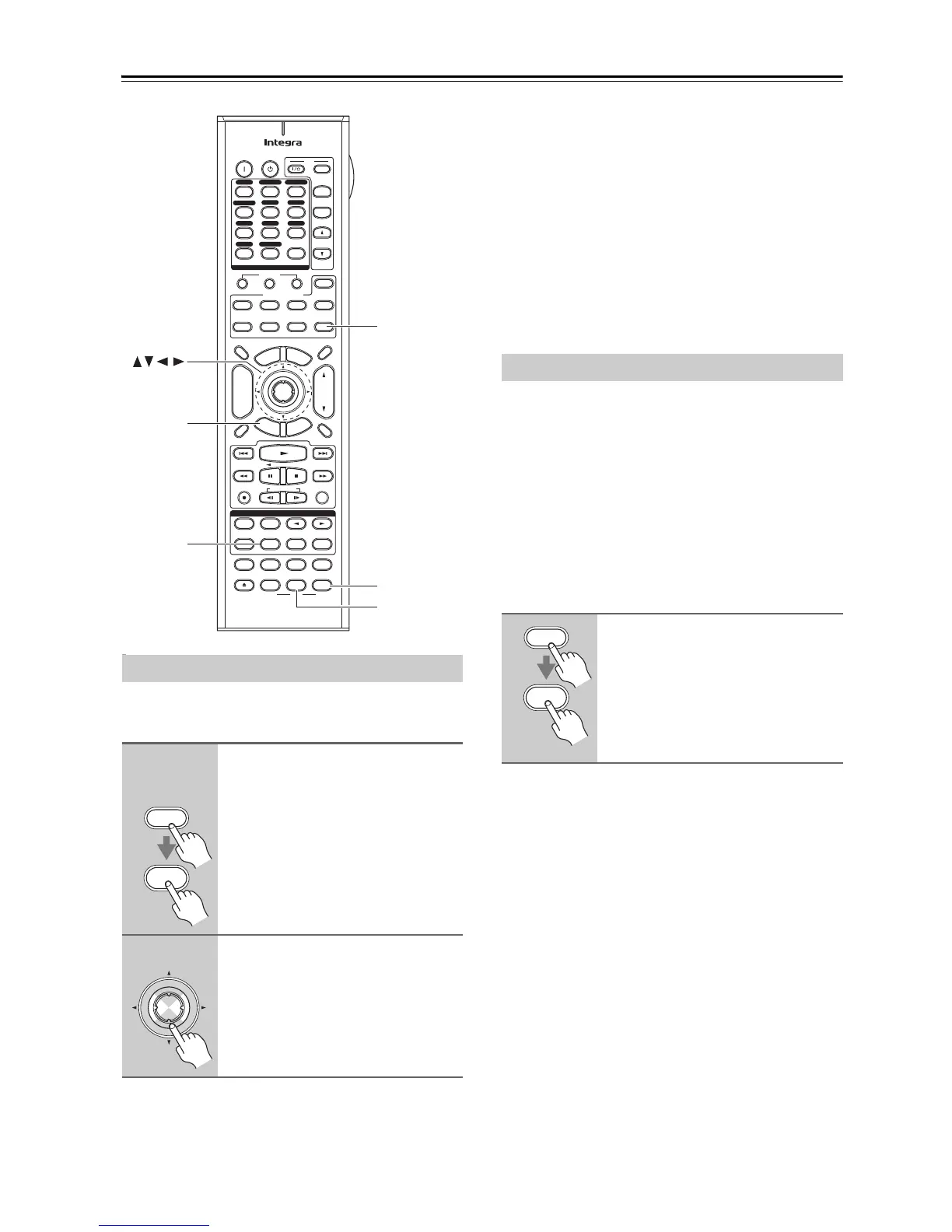
You can change various audio settings by pressing the
[Direct] button.
Optimizer
The Music Optimizer function enhances the sound qual-
ity of compressed music files. Use it with music files that
use “lossy” compression, such as MP3.
Note:
The Music Optimizer function only works with PCM
digital audio input signals with a sampling rate below
48 kHz and analog audio input signals. The Music Opti-
mizer is disabled when the Direct listening mode is
selected.
With the Re-EQ function, you can compensate a
soundtrack whose high-frequency content is too harsh,
making it more suitable for home theater viewing.
This function can be used with the following listening
modes: Dolby Digital, Dolby Digital EX, Dolby Pro
Logic II Movie, Dolby Pro Logic IIx Movie, Dolby Dig-
ital Plus, Dolby TrueHD, DTS, DTS-ES, DTS Neo:6
Cinema, DTS-HD High Resolution Audio, DTS-HD
Master Audio, DTS 96/24, THX Cinema, THX Sur-
round EX, THX Ultra2 Cinema, Neural THX, DSD and
Multichannel.
Using the Music Optimizer
1
Remote
controller
Press the [Receiver] Remote
Mode button , press and hold
down the [Direct] button.
The setting item appears on the display.
2
Use the Left and Right [e]/[r]
buttons to change the setting.
Repeat this step for the other settings.
+
-
On Standby
TV
Input
TV CH
TV VOL
--
/
---
10 11 12
D.TUN
+10
0
Clear
123
456
789
Input Selector
VCR
/
DVR CBL
/
SAT
DVD
Tape
Tuner
CD
Phono Net/USB
Game
/
TV
Macro
123
VCRDVD
CDR/MD/Dock
CD
Zone
2
Remote Mode
Dimmer
Tape/AMP
Sleep
Receiver
TV
Net/USB
Cable
VOL
CH
Disc
Album
+
-
Enter
T
o
p
M
e
n
u
M
e
n
u
Display Muting
E
x
i
t
G
u
i
d
e
Prev
CH
R
e
t
u
r
n
S
e
t
u
p
RC-688M
Audio
Repeat
Play Mode
Open/Close
Listening Mode
DVD HDD
Playlist
RandomRec
Test Tone
CH Sel
Direct
Stereo
Level
+
Level
-
L Night
Audio Sel
THX All ST
Re-EQ
Subtitle
Video Off
VCR
Surround
SAT
Zone
3
AUX 1 AUX 2
Setup
Direct
Receiver
L Night
Re-EQ
Enter
Direct
Receiver
Enter
Off: Music Optimizer off (default).
On: Music Optimizer on.
Using the Re-EQ Function
Press the [Receiver] Remote
Mode button, followed by the
[Re-EQ] button.
Press the [Re-EQ] button again to turn
off the Re-EQ function.
Receiver
Re-EQ



 To Next Page