88
Listening to the Radio—Continued
Displaying SIRIUS Satellite Radio
Information
The following information can be displayed:
Note:
If the category, artist/composer, or song title is not avail-
able, “- - -” will be displayed instead.
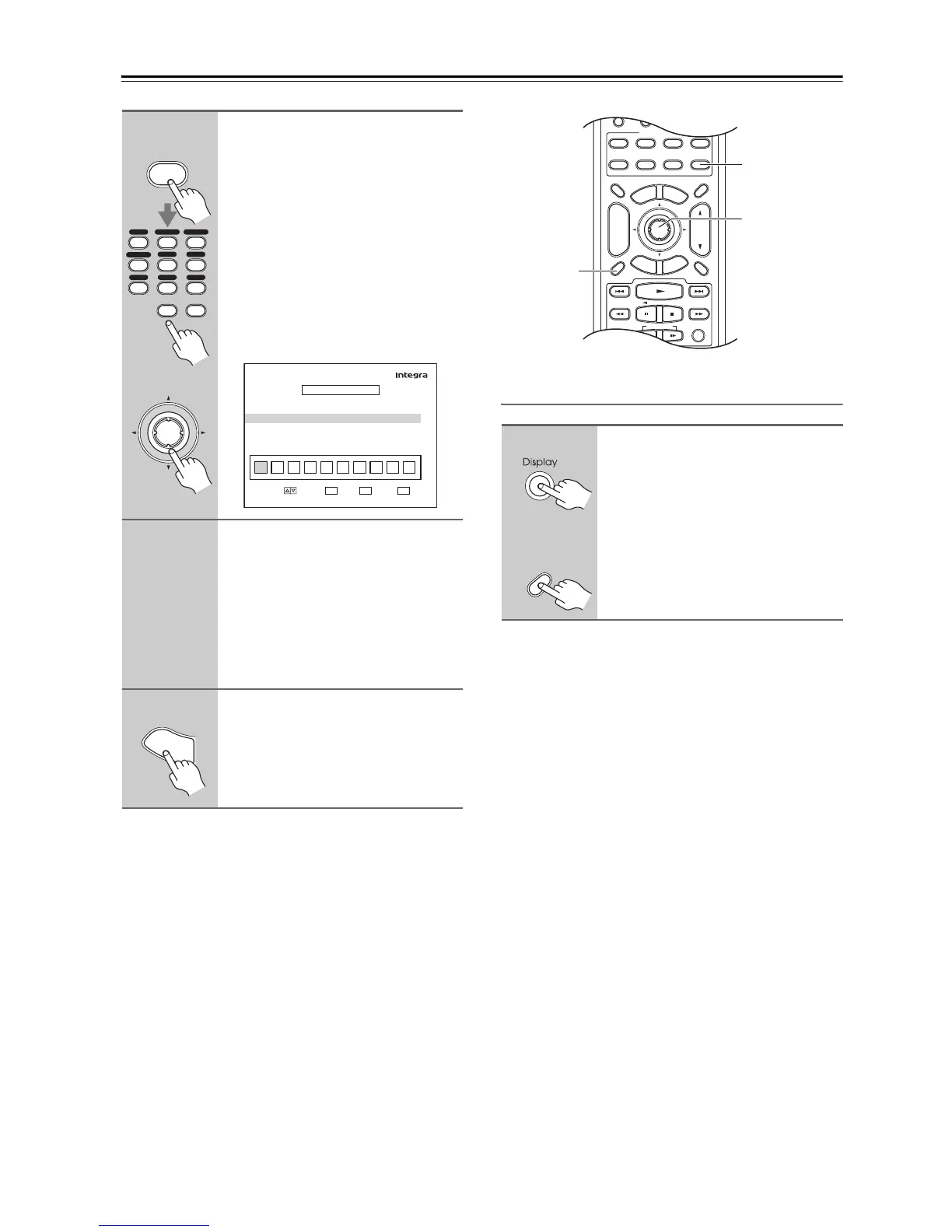
6
Press the [D.TUN] button, and
then use the number buttons to
enter the new 4-digit PIN number.
Or
Use the Left and Right [e]/[r]
buttons to select a number on the
screen, and then press [Enter].
Repeat this for each of the four
digits in the new PIN number.
The Confirm screen appears.
7
Confirm the new PIN number by
entering it again.
If you confirm the PIN number cor-
rectly, the new PIN is saved and the
message “Complete” appears.
If you confirm the PIN number incor-
rectly, “Wrong Code!” appears, and
you’ll be returned to step 5 to try again.
8
Press the [Setup] button.
Setup closes.
Enter
or
D.TUN
Clear
12
D.TUN
0
Clear
123
456
789
VCR
/
DVR CBL
/
SAT
DVD
Tape
Tuner
CD
Game
/
TV
AUX 1 AUX 2
Edit Code
New Code
Confirm
123456789
MOVE RETURN
ENTER
RETURN
EXIT
SETUP
TUNER
4–6. SIRIUS Parental Lock
INPUT
0
****
**
S
e
t
u
p
Press the [Display] button
repeatedly to cycle through the
available information.



 To Next Page