78
Connecting Net Audio – Other than USA, Canada, and Australian models –
—Continued
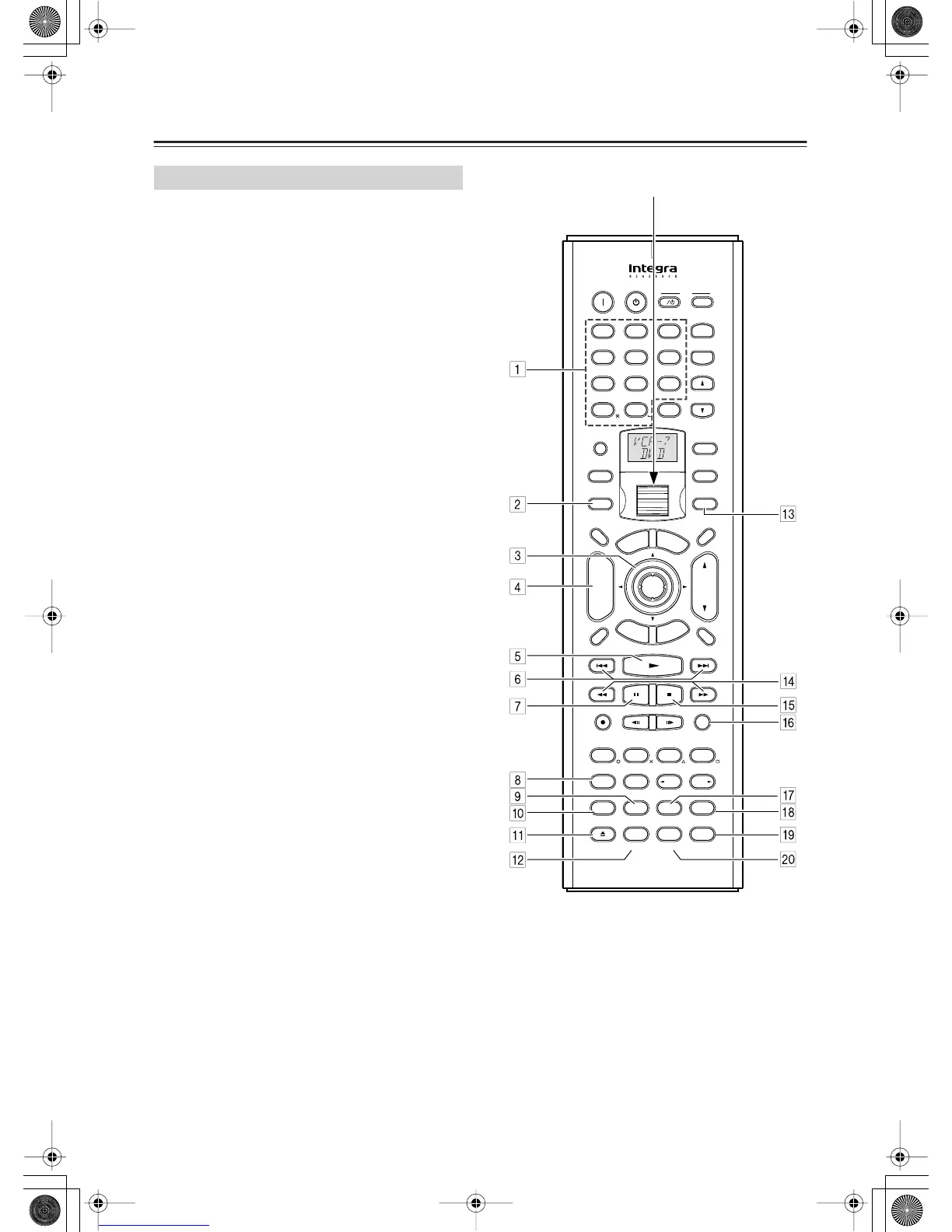
To select Net-Tune mode, press the [Mode] button,
and then roll the scroll wheel until “NET-T” appears
on the display.
Note:
While neither the [Input] button nor [Mode] button is
illuminated, the scroll wheel changes the input source
and remote controller mode simultaneously (when you
enter the Net-Tune mode, be sure that the LCD display
shows “MSRV” or “IRD” in the top line and “NET-T” in
the bottom line).
Using the Remote Controller
ABC DEF
PQRS TUV WXYZ
GHI JKL MNO
Caps Delete
Language Loca
t
ion
Album Ar
tist GenrePlaylist
Repeat Video Music Photo
@.-'/
--
/
---
Direct Tuning
#
Custom
Display
Dimmer
T
V
Input
Sleep
Random
Main A Main B
Muting
AngleSubtitleAudio
MemorySearchA
-
BRepeat
On Standby
T
V
T
V CH
T
V VOL
E
x
i
t
G
u
i
d
e
Rec
Last Memory
Prev
CH
Enter
S
e
t
u
p
R
e
t
u
r
n
Test
Tone
CH SEL
Pure A
Surround
Direct
Stereo
Re
-
EQ
THX
A
ll
CH
ST
Level
+
Level
-
L Night
Audio
SEL
DSP DSP
+
10 0
Clear
123
456
789
Input
T
o
p
M
e
n
u
M
e
n
u
VOL
CH
Disc
I
+
-
+
-
Zone
3
Zone
2
InputMode
Macro
S
e
r
v
e
r
A
u
d
i
o
A
D
J
Scroll wheel
RC-554M
RC-555M


 To Next Page