Intel Desktop Board D865GVHZ Technical Product Specification
116
4.4.11 Hardware Monitoring
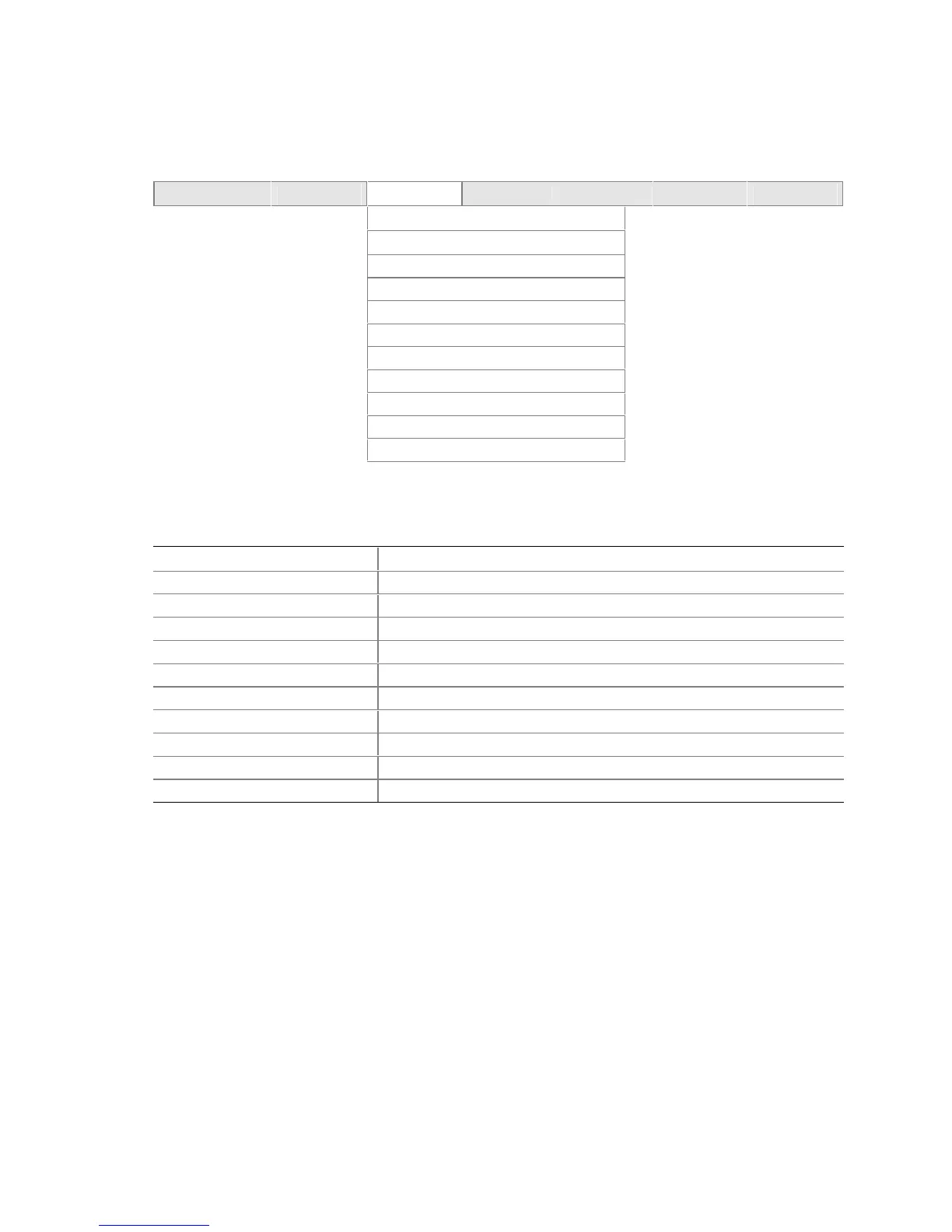
To access this screen, select Advanced on the menu bar and then Hardware Monitoring.
Maintenance Main
Advanced
Security Power Boot Exit
PCI Configuration
Boot Configuration
Peripheral Configuration
Drive Configuration
Floppy Configuration
Event Log Configuration
Video Configuration
USB Configuration
Chipset Configuration
Fan Control Configuration
Hardware Monitoring
Table 70 represents an example of the hardware monitoring display.
Table 70. Hardware Monitoring Display
Feature Description
Processor Zone Temperature Displays temperature in Celsius and Fahrenheit
System Zone 1 Temperature Displays temperature in Celsius and Fahrenheit
Processor Fan Speed Displays fan speed in RPM
Rear Fan Speed Displays fan speed in RPM
Front Fan Speed Displays fan speed in RPM
+1.5 V in Displays voltage level of +1.5 V in supply
Vccp Displays voltage level of Vccp supply
+3.3 V in Displays voltage level of +3.3 V in supply
+5 V in Displays voltage level of +5 V in supply
+12 V in Displays voltage level of +12 V in supply



 To Next Page