Activating the Gripper
1. Activate ATS. Press <Ctrl>+F3 to activate the Peripheral Setup screen.
2. Change the robot gripper definition according to the gripper you have installed.
Refer to the section, “Peripheral Devices and Equipment--Robot Gripper,” in
Chapter 2 of the ACL
Controller-B
User’s Manual.
3. Open and close it in order to verify that it is functioning. The following
commands work for both the electric and the pneumatic gripper.
PC
Type:
open <Enter>
The gripper opens.
Type:
close <Enter>
The gripper closes.
TP
Key in:
Open/Close
The Open/Close key toggles the gripper between its open and closed states.
programs you have just written.
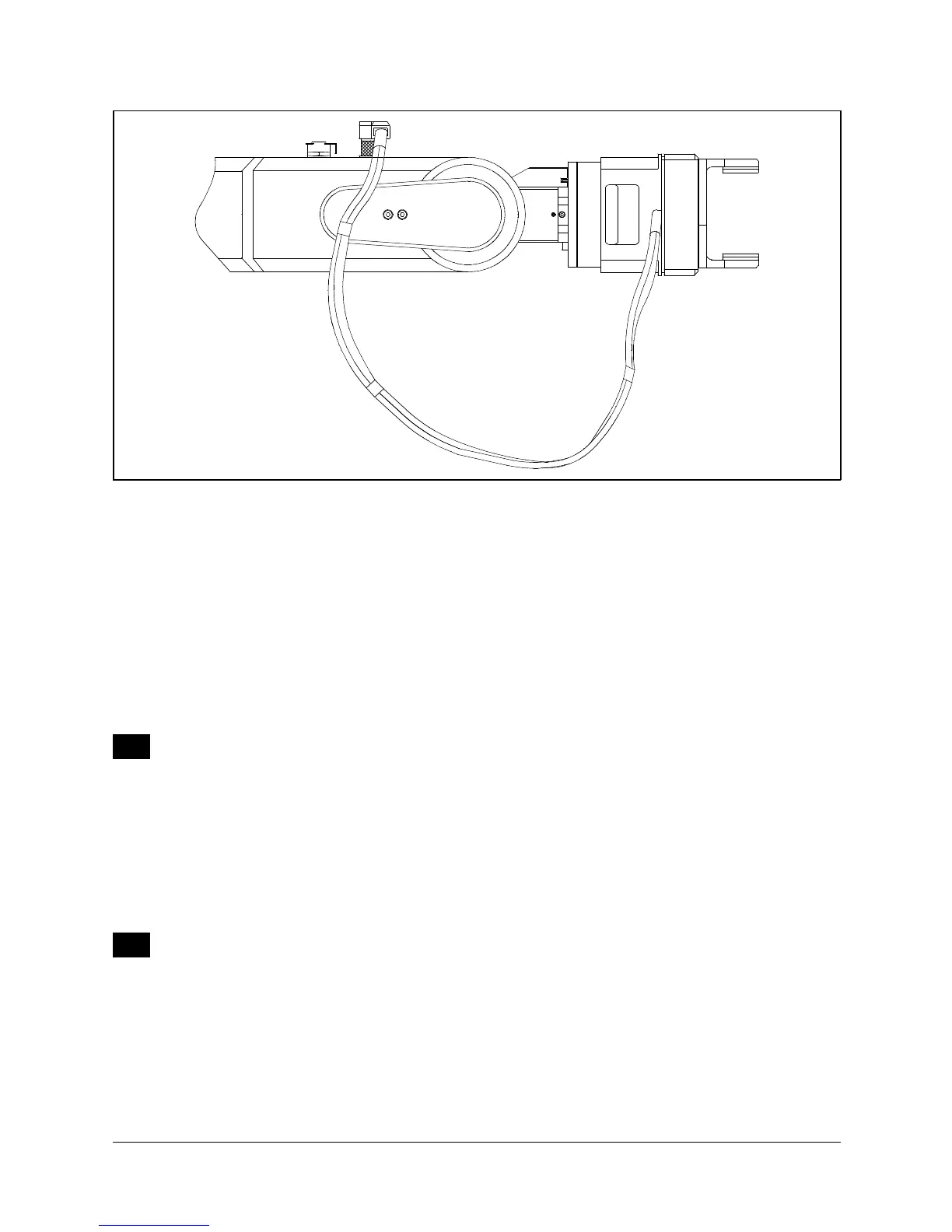
Figure 4-11: Connecting Gripper to SCORBOT-ER IX
SCORBOT-ER IX 4 - 8 User’s Manual
9603


 To Next Page