CHAPTER
4
Installation
Preparations
Before you make any cable connections, set up the system components according
to the following “Preparation” instructions.
Controller and Computer/Terminal Setup
Place the controller and computer at a safe distance from the robot—well outside
the robot’s safety range.
Make sure the setup complies with the guidelines defined in the chapter,
“Safety,” in the ACL
Controller-B
User’s Manual.
Robot Setup
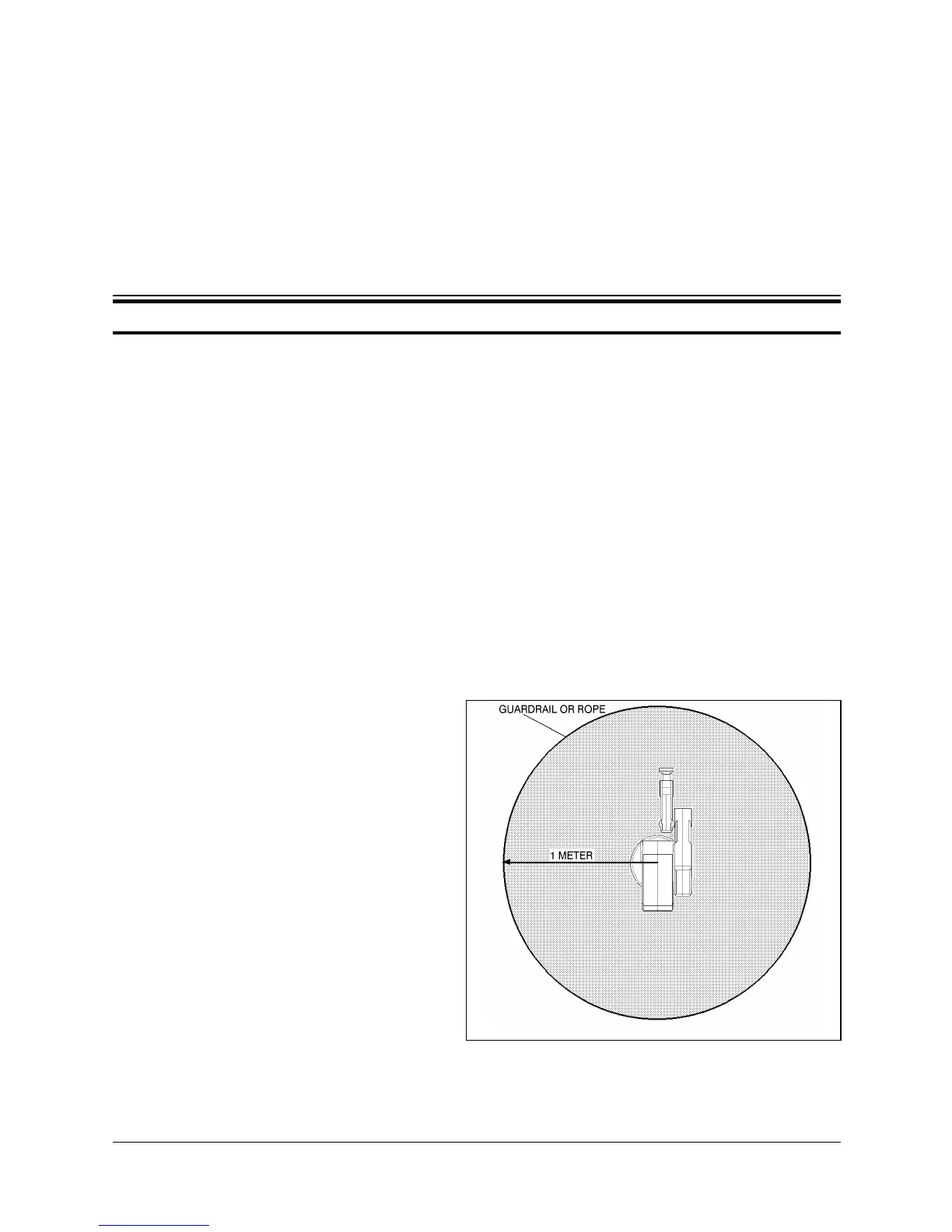
Refer to Figures 4-1, 4-2 and 4-3.
1. Set up the SCORBOT-ER IX
on a sturdy surface with at
least one meter of free space
all around the robot.
2. Note that the robot cable
clamp is located at the
midpoint of the robot’s
horizontal range. Using this
midpoint as a reference, set
up the robot so that it faces in
the proper direction—
towards the application or
machine it will serve.
3. Fasten the base of the robot to
the work surface with three sets
of M8 bolt, washer and nut.
Figure 4-1: Robot Safety Range
User’s Manual 4 - 1 SCORBOT-ER IX
9603


 To Next Page