19
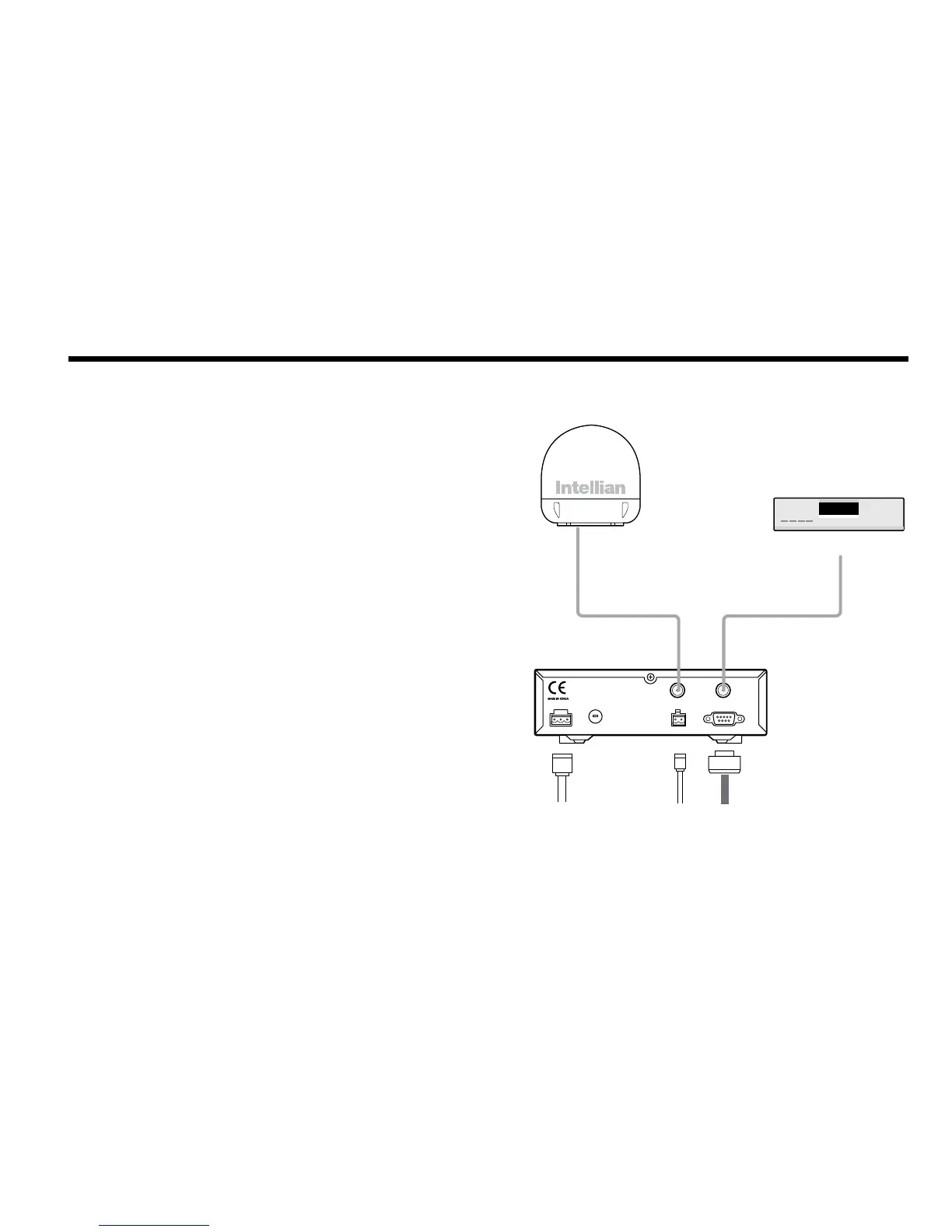
Figure 16 : Single Receiver Connection
Connecting the System Cables
After installation and xation of the antenna, connect the ACU to the
antenna. Refer the drawing below to connect cables.
Single Receiver Connection
• Connect the RF Cable (15m) from the RF 1 connector on the
antenna to the ANT. RF1 connector on the rear of ACU.
• Connect the ACU-IRD Cable (3m) from the RECEIVER connector
on the rear of the ACU to RF on the IRD.
• Connect the power cable (10m) from DC power connector on the
rear of ACU to a power source at 12V / 24V DC.
• Press the POWER ON switch in front of the ACU to start the
operation of the antenna system.
ACU
RF Cable
RF 1
Antenna
Receiver
ACU IRD Cable
DC Power Cable
NMEA GPS
PC Cable
IRD (Not supplied)
NMEA
ANT RF1 RECEIVER
FUSEDC 9 - 30 V PC INTERFACE
FG - +
+ -



 To Next Page
 Loading...











