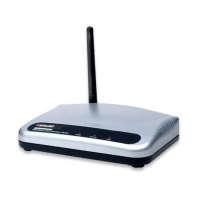
High-Power Ceiling Mount Wireless 300N PoE Access Point
17
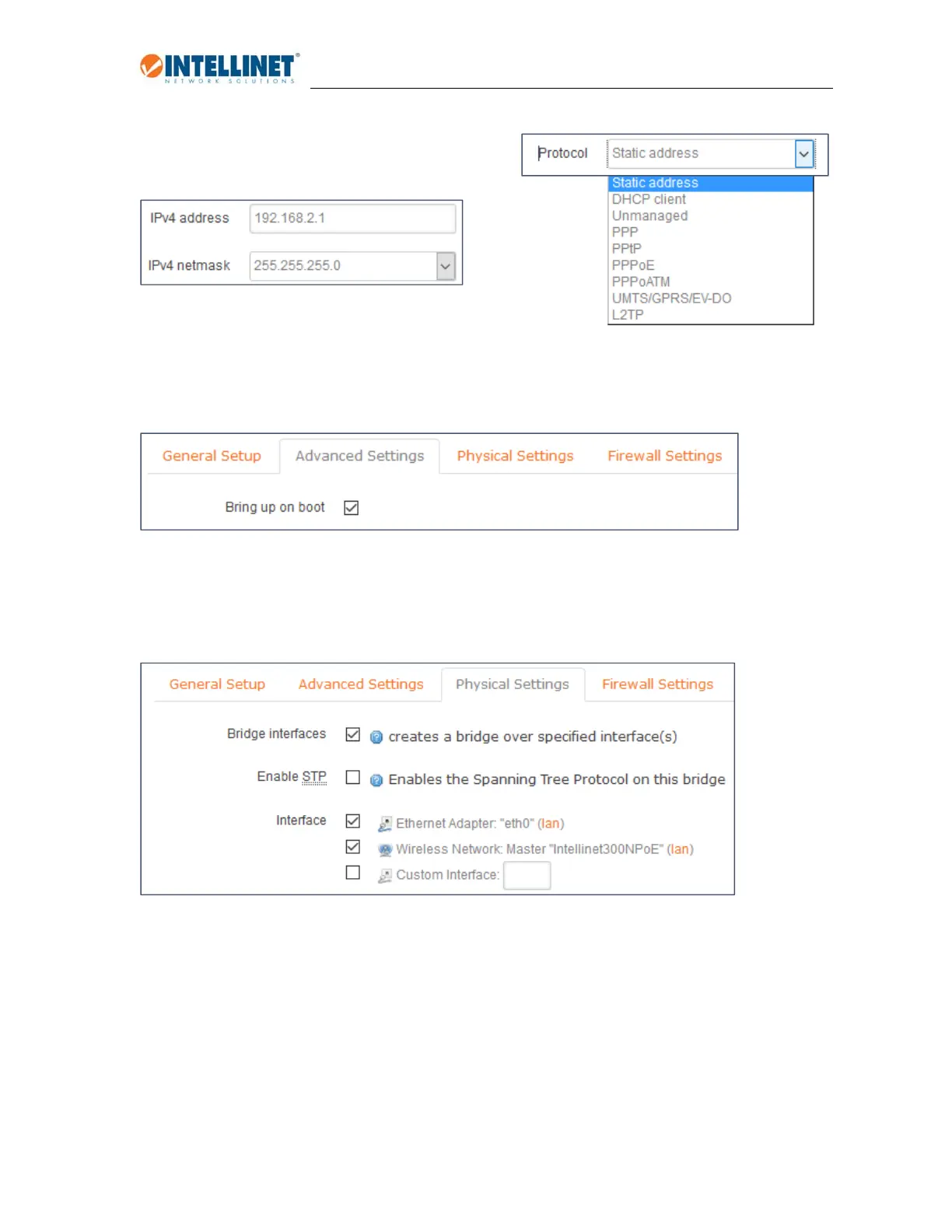
Staticaddress:
YouneedtosetuptheIPaddressoftheaccesspoint
manually.Whenyouselectthisoption,youwillneedto
specifytheIPv4IPaddressandtheIPv4netmask.
YoucanalsosetuptheIPv6address,incaseyourunan
IPv6addressschemeinyourlocalnetwork.SettheIPv6assignmentlength,i.e.,64andtheprefix(hint).
Allotheroptions(IPv4broadcast,customDNSservers,etc.)donotapply.
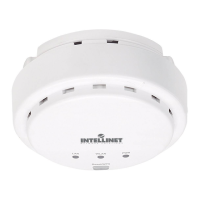
AdvancedSettings:
LargelyirrelevanttotheIntellinetAccessPoint,howeveryoudowanttomakesurethatthe“bringupon
boot”optionisactivated.
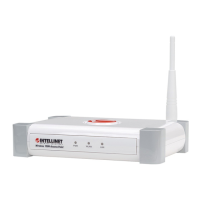
PhysicalSettings:
Undernormalcircumstancesthereisnoneedtomakeanyadjustmentshere.Aboveshowsthedefault
configurationoftheIntellinetaccesspoint.
Bridgeinterfaces:Activatethisoptionandtheinterfacesselectedbelowwillbeabletocommunicatewith
eachother(i.e.,“eth0”and“Intellinet300NPoE”.Normally,thisiswhatyouwouldwant.


 To Next Page