EncoreCX
Installation & Maintenance Manual
50
Replacing the CCU MDF
This PCB is NOT hot swappable. The system must be powered down to change
this board.
Electrostatic precautions must be made when replacing this board. Connect to
the ESD pillar on the CCU before removing the CCU cover.
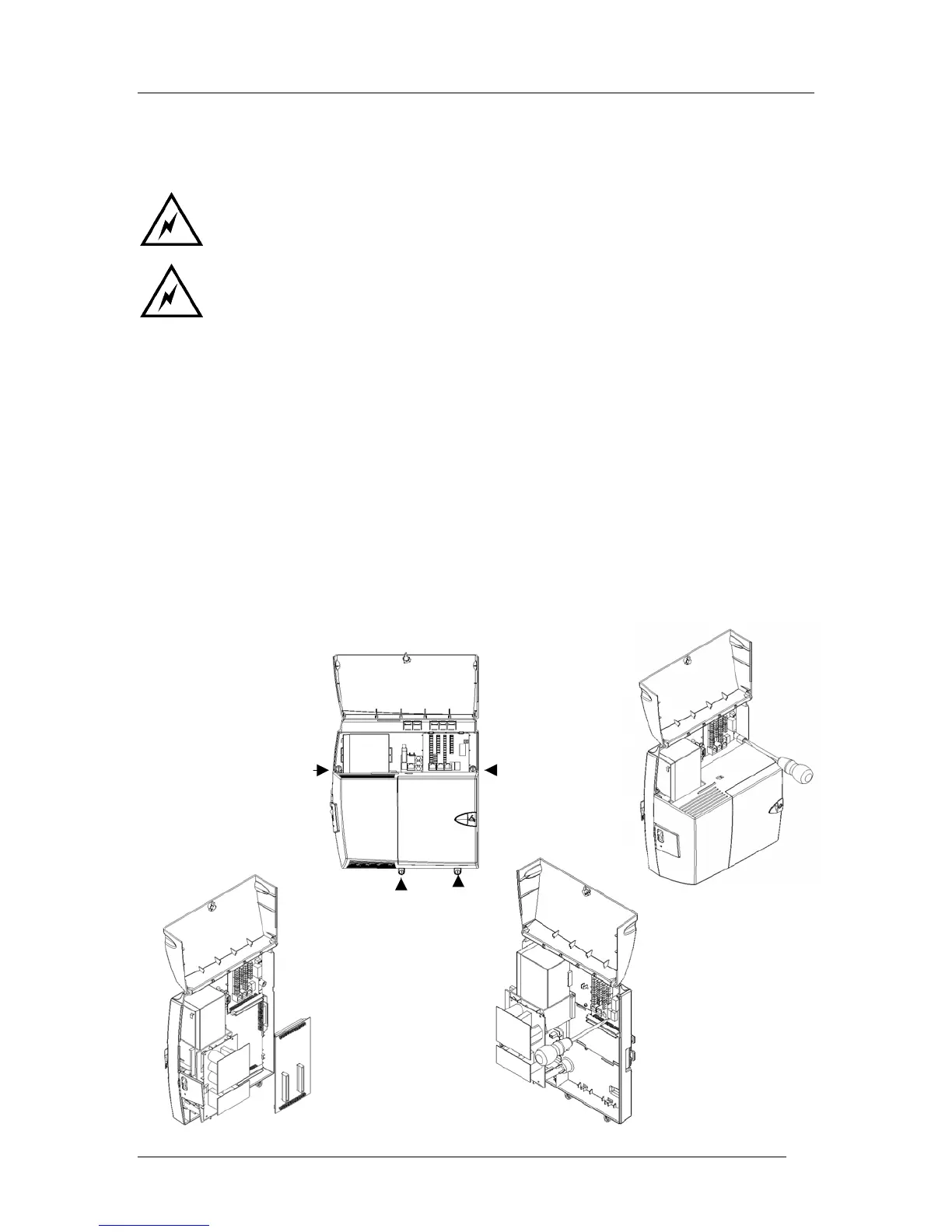
The procedure to be used when replacing the CCU MDF unit is:
1. Power the system down by unplugging it at the main AC power source.
2. If a battery is installed, turn off the BBU switch to disconnect the battery.
3. Remove any Voice or CO line Modules installed.
4. Remove the MDF cabling, making sure to tag the cabling so they can be readily reinstalled.
5. Open the CCU main cover by opening the four “quarter turn” screws indicated in the first
diagram below.
6. Remove the 008 PCB.
7. Remove the retaining screw in the MDF PCB.
8. Remove the MDF PCB.
Note: Reverse the above procedure to install a new MDF PCB.



 To Next Page