3
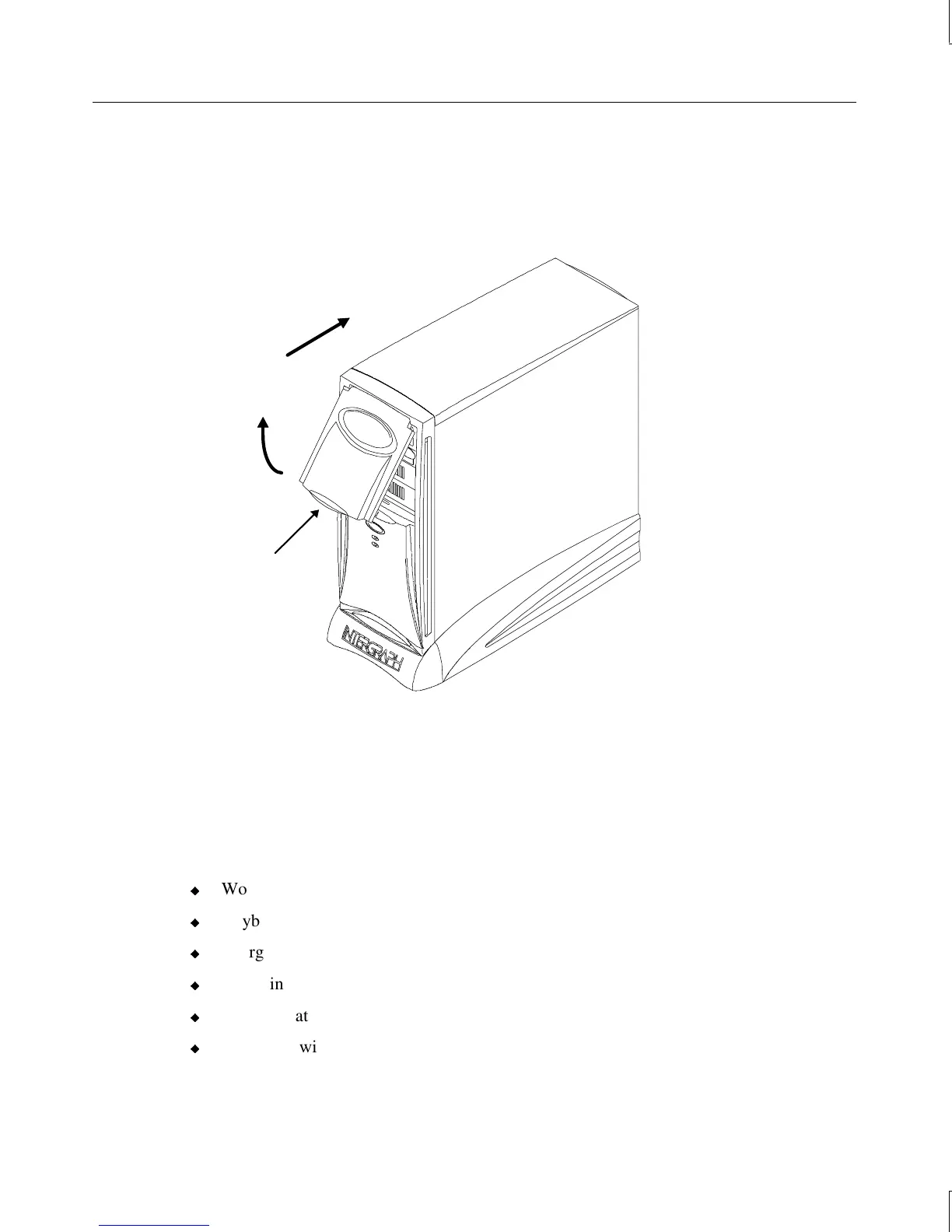
To close the door:
1. Grasp the door and pull it straight out of the case until it stops.
2. Lower the door until it stops and press gently until the door clicks into place.
Lift here
Swing up
Push back
Unpacking the System
CAUTION Carefully remove items from packaging. Do not drop items on a hard surface or damage
may result. You may need help to unpack and place heavy items.
Remove everything from the shipping cartons, then look for the following items:
u
Workstation and power cord
u
Keyboard and mouse
u
Intergraph Computer Systems documentation
u
Operating system software (CD-ROM and diskettes) and documentation
u
Documentation for various peripheral devices
u
A monitor with video cable, power cord, and documentation (if purchased from
Intergraph Computer Systems)



 To Next Page