9
The total length of the SCSI cabling must not exceed the following:
Drives
SCSI-1 SCSI-2 Ultra LVD
1 to 4 6 meters 3 meters 3 meters 12 meters
5 to 7 6 meters 3 meters 1.5 meters 12 meters
8 to 15 N/A N/A N/A 12 meters
NOTE If longer Ultra SCSI cable lengths are required, Ultra SCSI mode can be disabled using
SYSUTIL, the Setup utility, or the on-board BIOS on the SCSI adapter. However, disabling
Ultra SCSI mode reduces the data transfer rate to 20 MB per second on Ultra Wide adapters
and to 10 MB per second on Ultra Narrow adapters.
NOTE You must count the SCSI adapter as one device.
NOTE Make sure the last device on a chain of external SCSI devices has an active SCSI terminator
connected to the open SCSI port. All other external SCSI devices must have SCSI
termination disabled or removed.
See the SCSI adapter documentation delivered with the system for more detailed information
on the SCSI adapter and connecting SCSI devices to it. See System Reference for additional
details on installing internal peripheral devices.
Starting the System
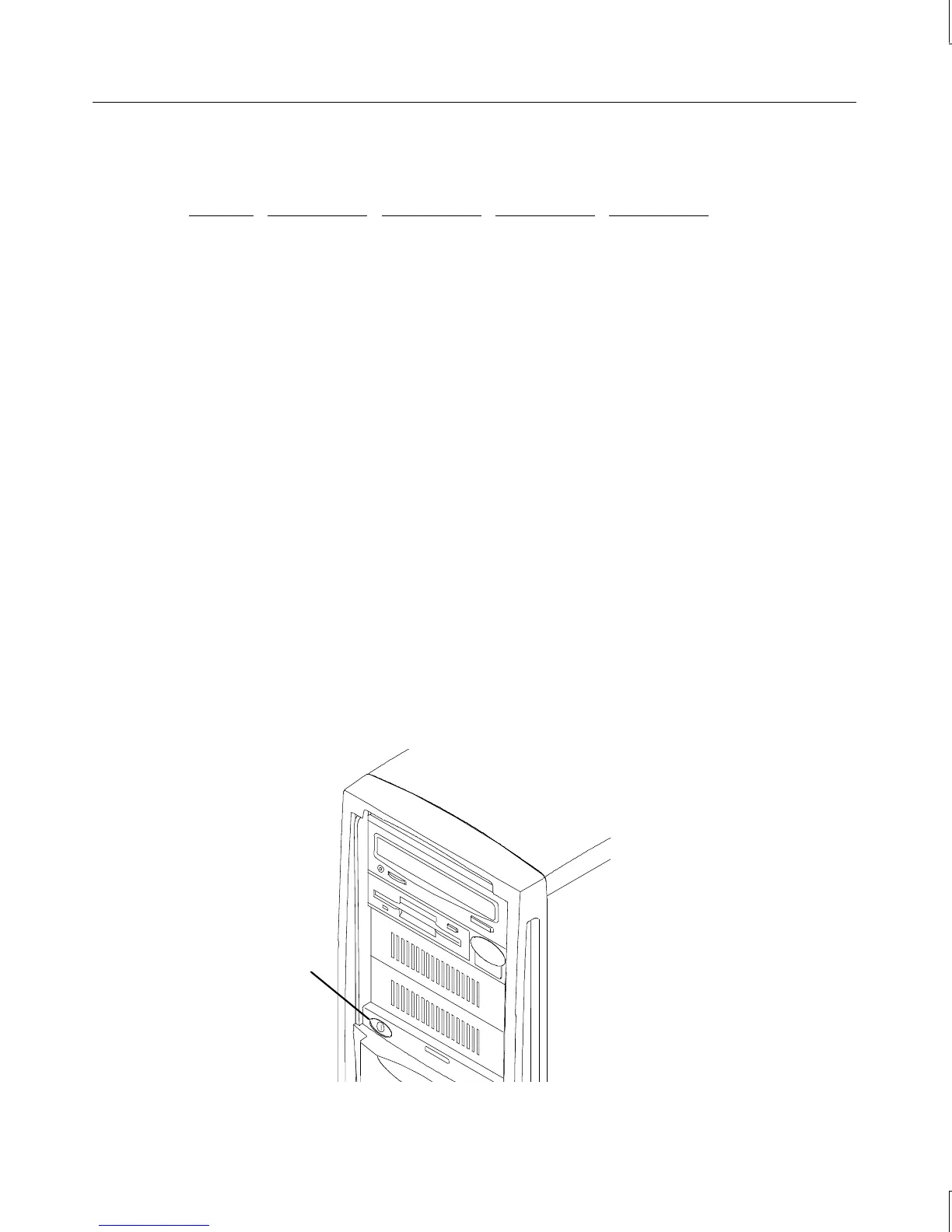
The Standby button is on the front left side of the system, behind the door and just below the
external drive bay.
Standby button



 To Next Page