Chapter 8: Operating instructions
TruVision DVR 12 User Manual 53
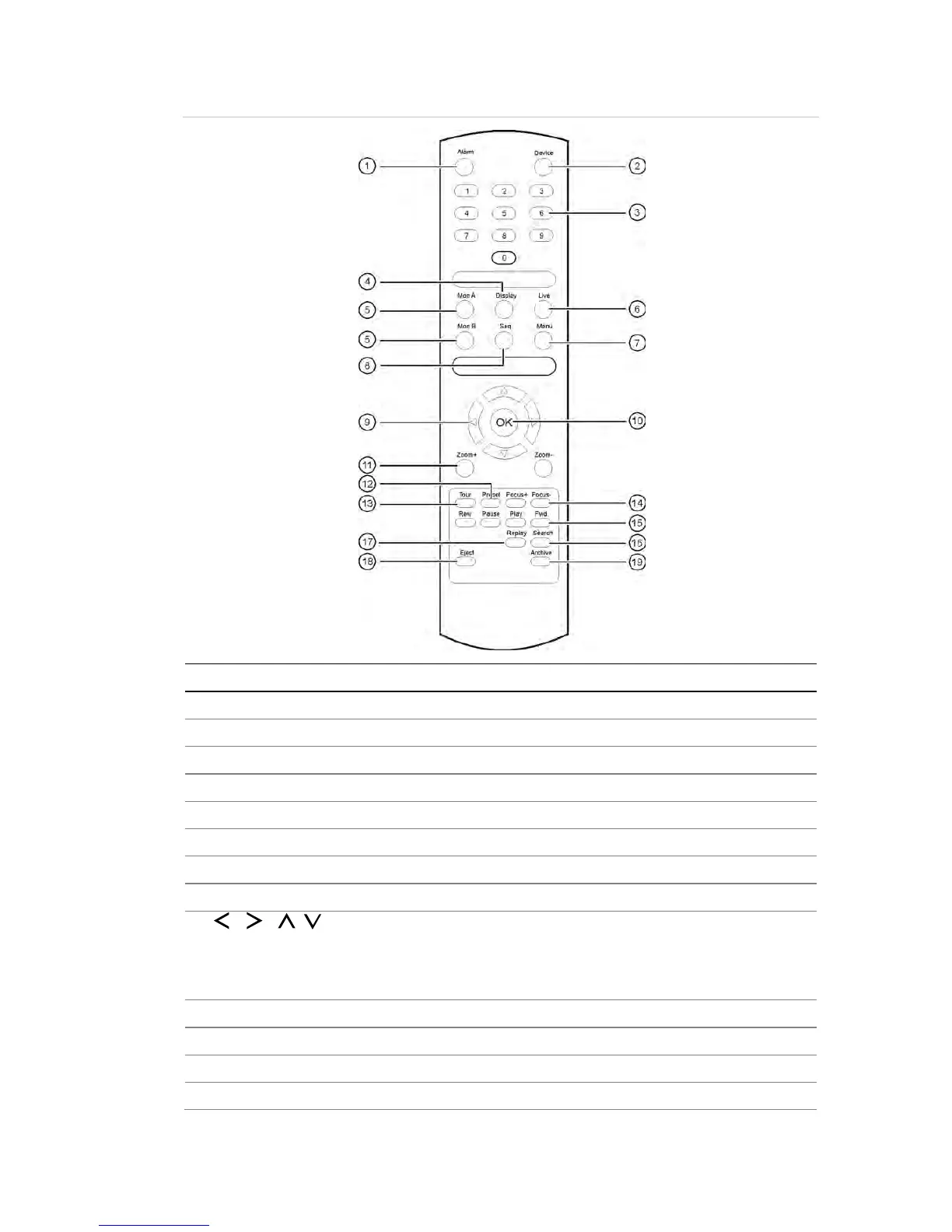
Figure 11: IR remote control
Enable/disable the IR remote control to control the
Select a camera, and enter a number in a menu option.
between the different multiview formats.
between monitors A and B.
Menu mode: Use left or right arrow buttons to select and up or down
arrow buttons to edit entry.
In PTZ mode: Use to control PTZ.
In Playback mode: Use to control playback speed.
Use to control zoom of camera lens.
Enter preprogrammed three
-digit code to call up a preset.
Enter preprogrammed three
-digit code to call up shadow tour.



 To Next Page