23
Dispensing in « dose » mode
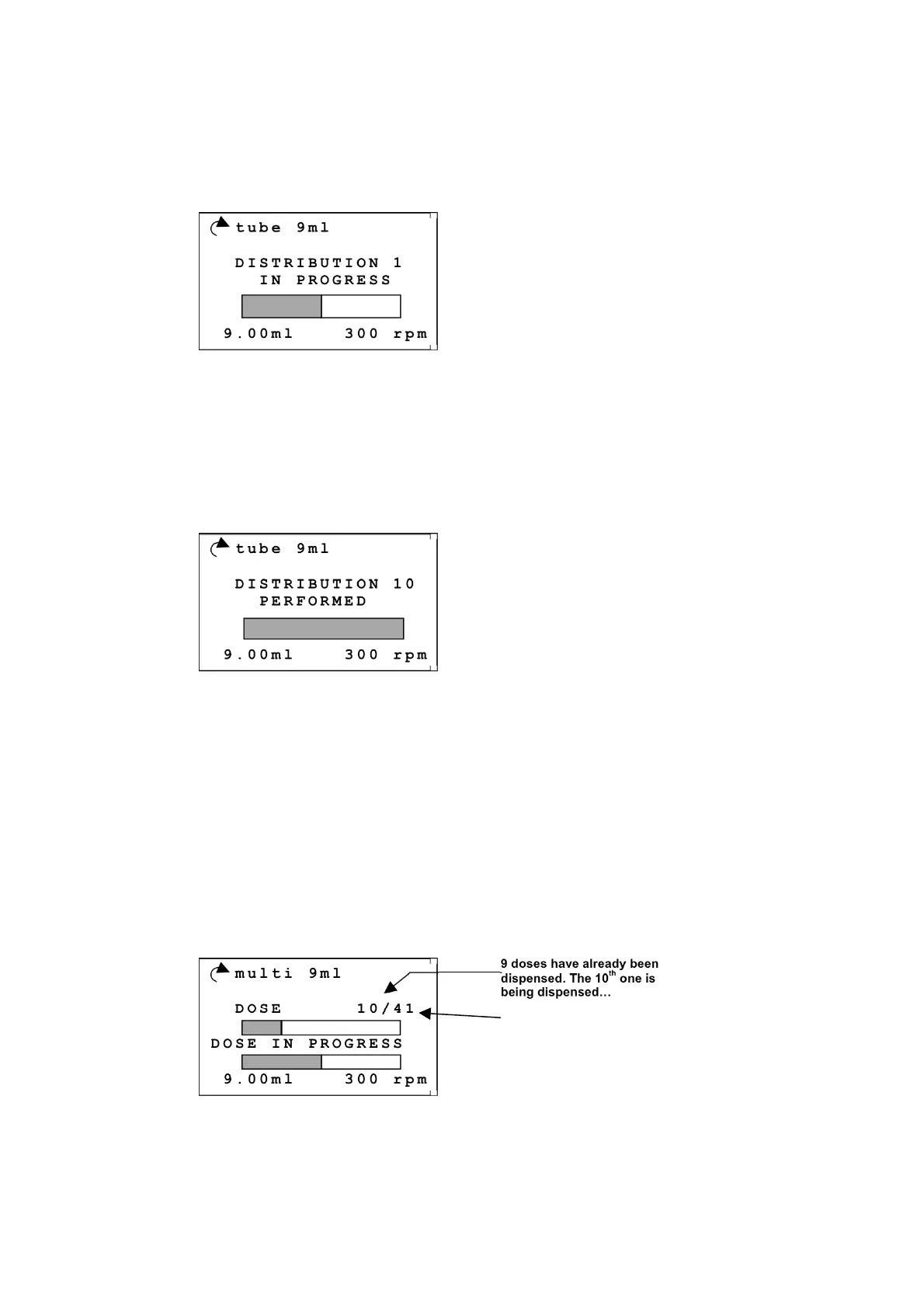
During dispensing the FlexiPump
®
displays a progress indicator and a reminder of the program name,
the dose volume and the direction and speed of the pump.
Example :
At the end of dipensing, the screen displays “DISTRIBUTION PERFORMED”. You can then
start the dispensing of another dose by pressing on “START/STOP” or on the rotating button using the
gun or the foot pedal.
During the dispensing and at the end of each dose, the screen displays a count of the number of doses.
Example, after 10 doses :
Press on “esc.” to quit the program.
Dispensing in “multi-doses” mode
During dispensing FlexiPump
®
displays a reminder of the name of the program, the dose volume, the
number of doses of the program and the direction and speed of the pump.
It also displays two progress indicators:
• on the number of doses
• on the dose in dispensing
Example :
Note: during dispensing and during the waiting delay between 2 doses, you can temporarily suspend the
operations by pressing on the “START/STOP“ button.
At the end of all dispensings, the screen displays nothing special but that the 2 progression indicators
are complete. The FlexiPump
®
makes a little "bip" sound if the option “SON” is activated (Cf. 3.6.3
tube 9ml
DISTRIBUTION 1
IN PROGRESS
9.00ml 300 rpm
tube 9ml
DISTRIBUTION 10
PERFORMED
9.00ml 300 rpm
multi 9ml
DOSE 10/41
DOSE IN PROGRESS
9.00ml 300 rpm
9 doses have already been
dispensed. The 10
th
one is
being dispensed…
Total number of doses


 To Next Page