12
The on-screen menu are hierarchical: the user can, when choosing an option in the menu, go to another
menu, called sub-menu. For example, the option “MODIFY PROGS“ of the main menu leads to the
following sub-menu:
At any time the “esc.” button makes the user quit the on-screen menu and to get back to the main menu
or the top menu.
3.5 Concept of program
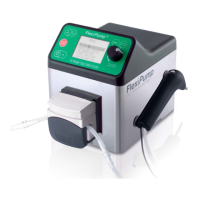
FlexiPump
®
is a programmable equipment.
The user can choose his preferred programs and memorize them.
Each preferred user mode, (for example 9 mL in mono dose at a 3 mL/s flow) is then called a program.
The user can then enter other programs and name them so they can easily distinguish them.
FlexiPump
®
is delivered pre-programed with the following programs:
• 9 ml tube: distribution of 9 mL doses
• 18ml dish: distribution of 18 mL doses
• 9ml Multi: multiples 9 mL doses
• Continuous: continuous and fixed flow
3.5.1 Programs and tubings
FlexiPump
®
can be equipped with tubes with various diameters. If you have several tubes and wish to
change it according to your application: either specific flow or viscosity.
Please keep in mind that a program is made to function with a pre-determined diameter tubing. The flow
distributed by the pump depends on the tubing's diameter and its speed fixed by the program.
Advice for the choice of a tubing
During the liquid flow the inner diameter of the tubing is important to get a good precision. The more the
tubing has a bigger diameter, the more the flow (milliliters per minute) and less it will be adapted for
dispensing of little volumes.
On the side of the FlexiPump
®
are engraved 2 diagrams for FlexiPump
®
and FlexiPump
®
Pro. They show
the precision that you can get according to your volume and the inner diameter of the tubing.
RUN PROGRAMS
Tube 9ml
Dish 18 ml
Multi 9ml
Continuous
...


 To Next Page