24
Sound).
You can then start the dispensing of another serie of doses by pressing on “START/STOP” or on the
rotating button or by using the gun or the pedal. If not, press on “esc.” to quit the program.
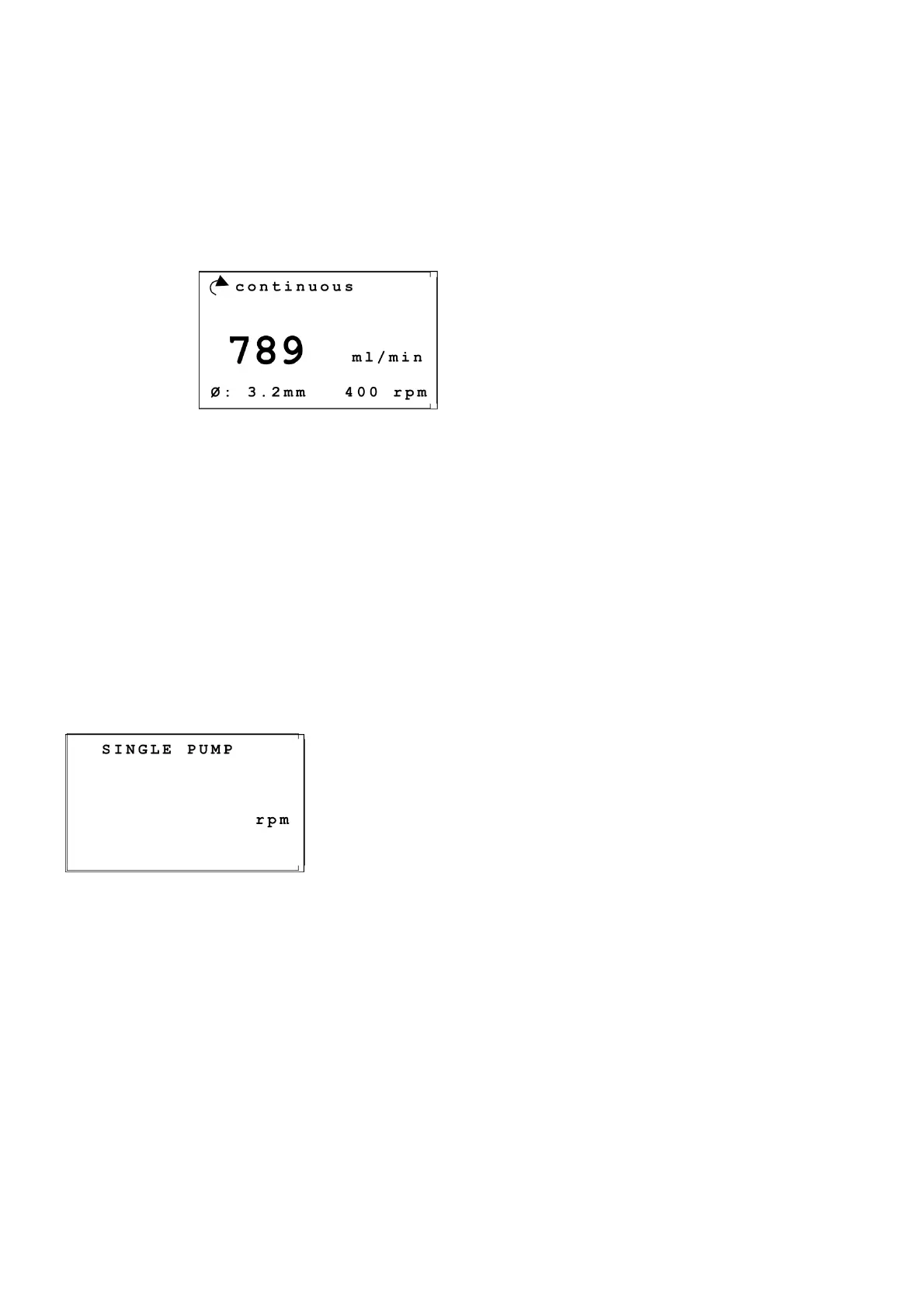
Dispensing in continuous mode
During dispensing FlexiPump
®
displays the name of the program, the inner diameter of the tubing and
the direction and rotation speed. It also displays the flow in milliliters per minute, the large number at the
center of the screen.
Example :
To stop the flow, press on the red “START/STOP” button or on the rotating button. If you use an
accessory (foot pedal or handy gun) (see the Accessories chapter), you can use it instead. To quit the
program, press on « esc. »
3.8 Basic pumping
When you just want to dispense a liquid and manually control the process, use the “SIN G L E
PUMP” function in the main menu.
To do so, select the option in the main menu and then press on the “START/STOP” button or on the
rotating button and then press again on the same button. Stop the pump by pressing again on the
“START/STOP” button or on the rotating button.
During dispensing, the pump displays the rotation speed of the motor in RPM.
Example:
During dispensing, you can change the rotation speed by turning the button.
Press on “esc.” to get back to the main menu.
3.9 Use with diluent broth bags
3.9.1 How to install a diluent broth bag
- Disconnect the GL45 bottle cap from the tubing.
- Place instead of GL45 bottle cap the trocar for broth bags (ref. 513 020).
- Connect the bag using the trocar.
- Install the diluent broth bag on the independant stand (ref. 513 015).
continuous
ml/min
Ø: 3.2mm 400 rpm
SINGLE PUMP
rpm
789
200


 To Next Page