19
OPERATION AND SET-UP ON THE CONTROLLER
inVENTer Connect controller platform | Operating instructions
Time and date setting
The time and date are set only when the system is set up with the controller. If set-up is carried
out via the app, the time and date are automatically taken from the app. Manual setting of the
date and time is then dispensed with.
TIP: This setting can be skipped by pressing the mode key.
Setting the time
Requirements:
• Setup by means of the controller.
• Firmware and hardware check successful.
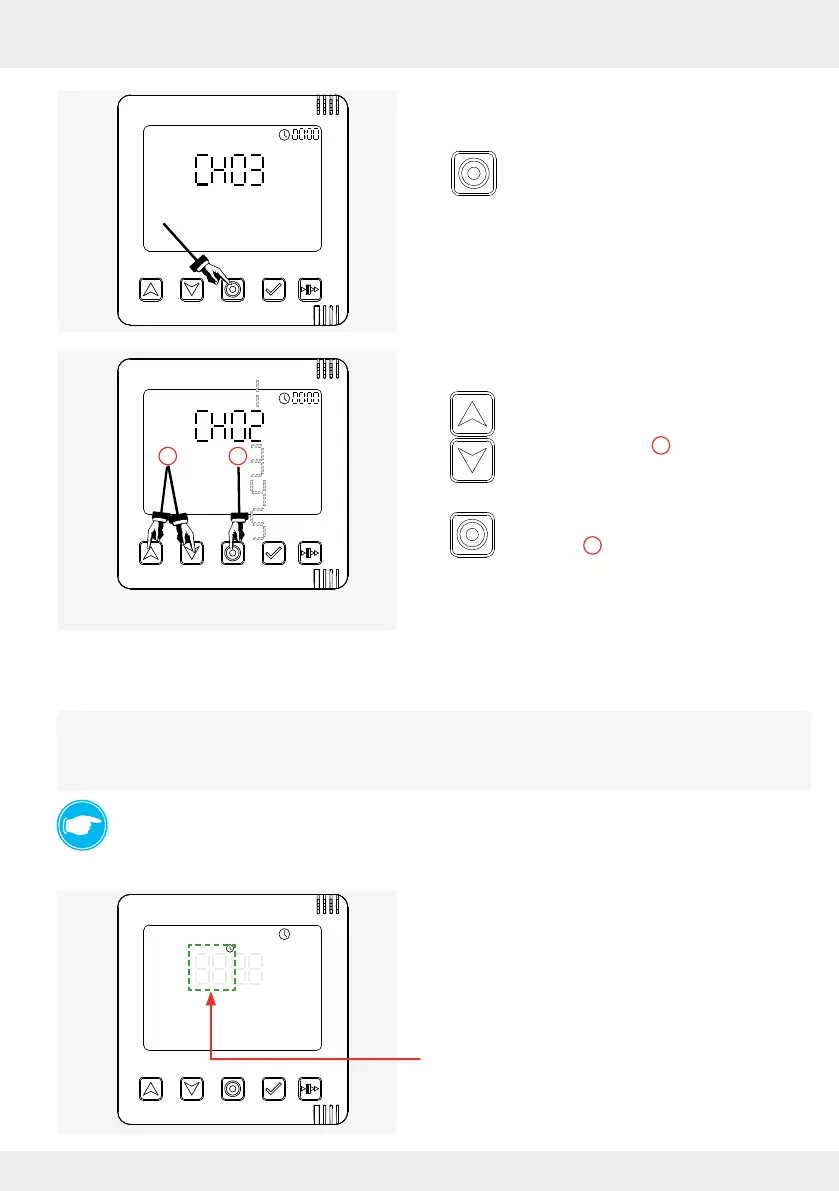
• The channel for the RF868-MHZ radio connection
is selected.
The hour setting is active and ashing.
► Press the mode key to conrm the best
channel.
OR:
Manually select another channel:
► Press the navigation keys (up and down
arrow key) to navigate through the
available channels (
1
).
► Press the mode key to conrm the
selection (
2
).
The controller changes to the time and date setting.
2
1



 To Next Page