21
OPERATION AND SET-UP ON THE CONTROLLER
inVENTer Connect controller platform | Operating instructions
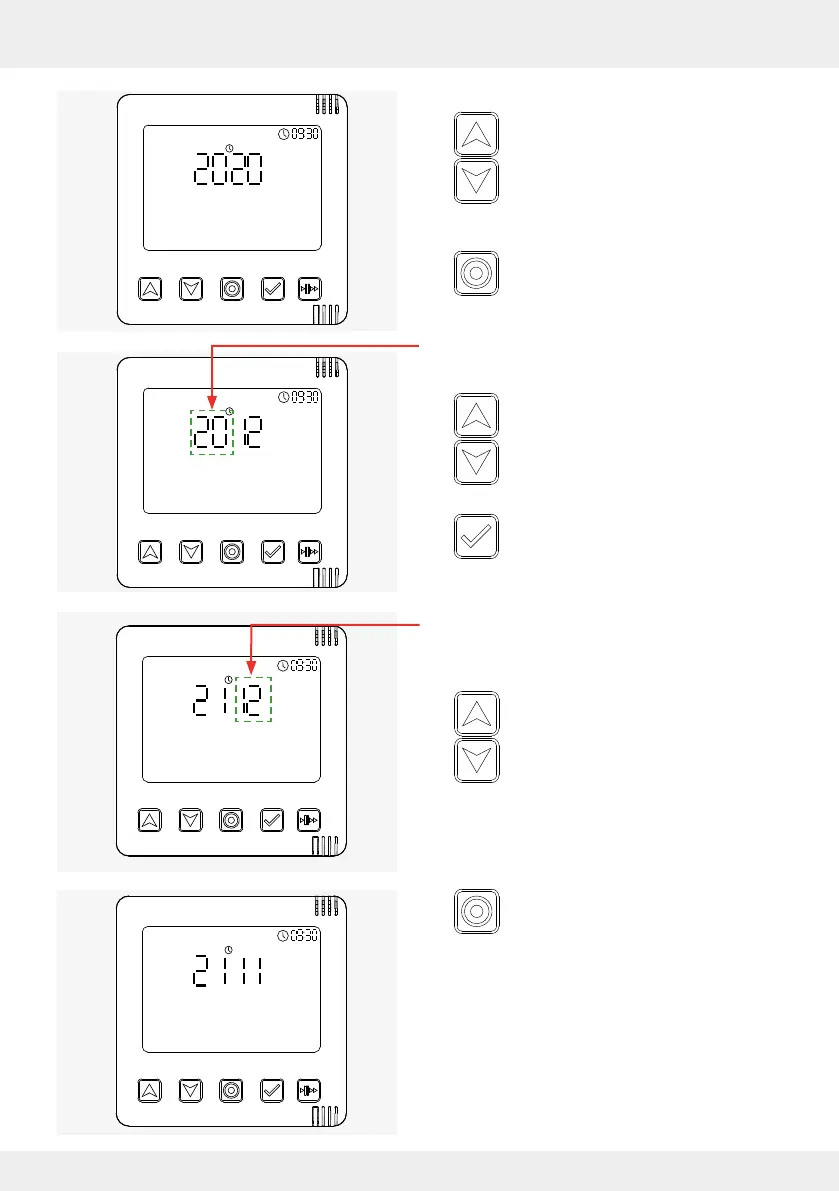
► Press the navigation keys (up and down
arrow key) until the required year is set.
► Press the mode key until the day setting
in the date setting menu ashes, making
it active.
The day display is active and ashes.
► Press the navigation keys (up and down
arrow key) until the required day is set.
► Press the select key to conrm the selec-
tion (day).
The day is set and the next eld for setting (month
display) becomes active and ashes.
► Press the navigation keys (up and down
arrow key) until the current month is set.
The current month is set.
► Press the mode key and conrm the set
day and month.



 To Next Page