35
OPERATION AND SET-UP ON THE CONTROLLER
inVENTer Connect controller platform | Operating instructions
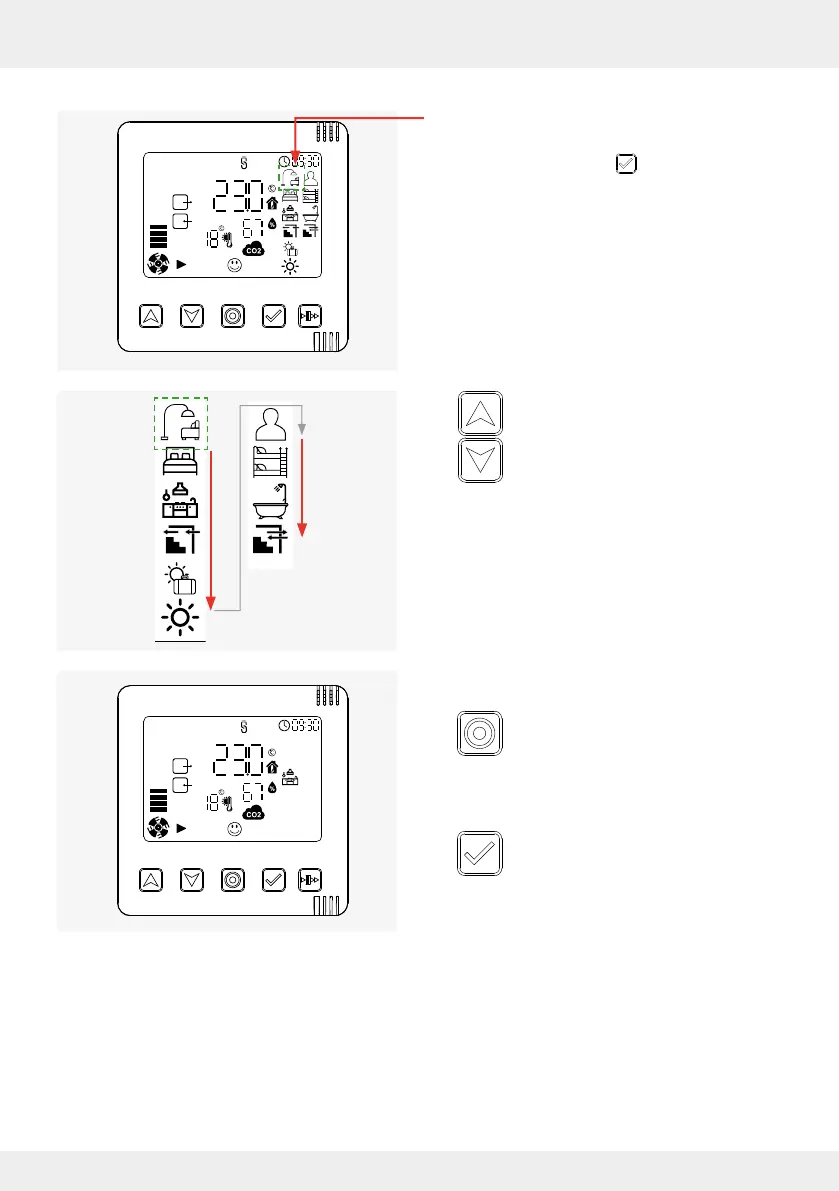
Requirements:
• The symbol for the ventilation prole is ashing
(from the "System Information" screen:
Press the selection key 3 times).
► Press the arrow keys and navigate
through the ventilation proles.
The respective selectable symbol
ashes.
Once the desired ventilation prole has been reached:
► Press the mode key to exit the Settings
menu.
Your change is active.
OR
► Press the selection key to move to the
next setting option (ventilation level)
again.
Your change is active.
The icon for the selected ventilation prole appears
on the display screen.
The symbol for the rst setting option (ventilation
level) starts to ash.



 To Next Page