37
OPERATION AND SET-UP ON THE CONTROLLER
inVENTer Connect controller platform | Operating instructions
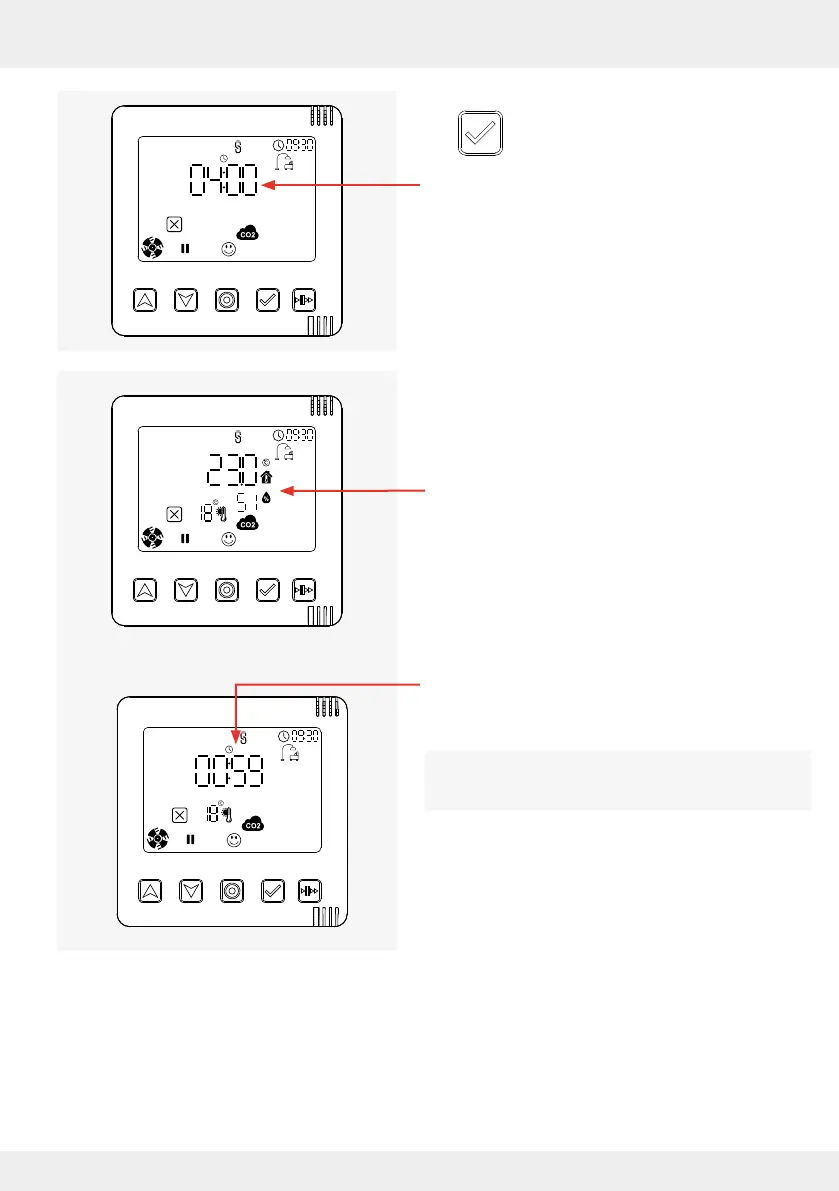
► Press the select key to conrm the
selected time setting.
The desired pause time is set for all ventilation
zones in the system,
here e.g. 4 hours.
The zone status (system information) for the current
ventilation zone appears on the display screen.
Here it is ventilation zone 1 (standard zone).
Alternating with the zone status, the remaining
pause time is displayed.
The set pause time is displayed alternately with the
zone status until it expires.
↔



 To Next Page