89
CLEANING AND CARE
inVENTer Connect controller platform | Operating instructions
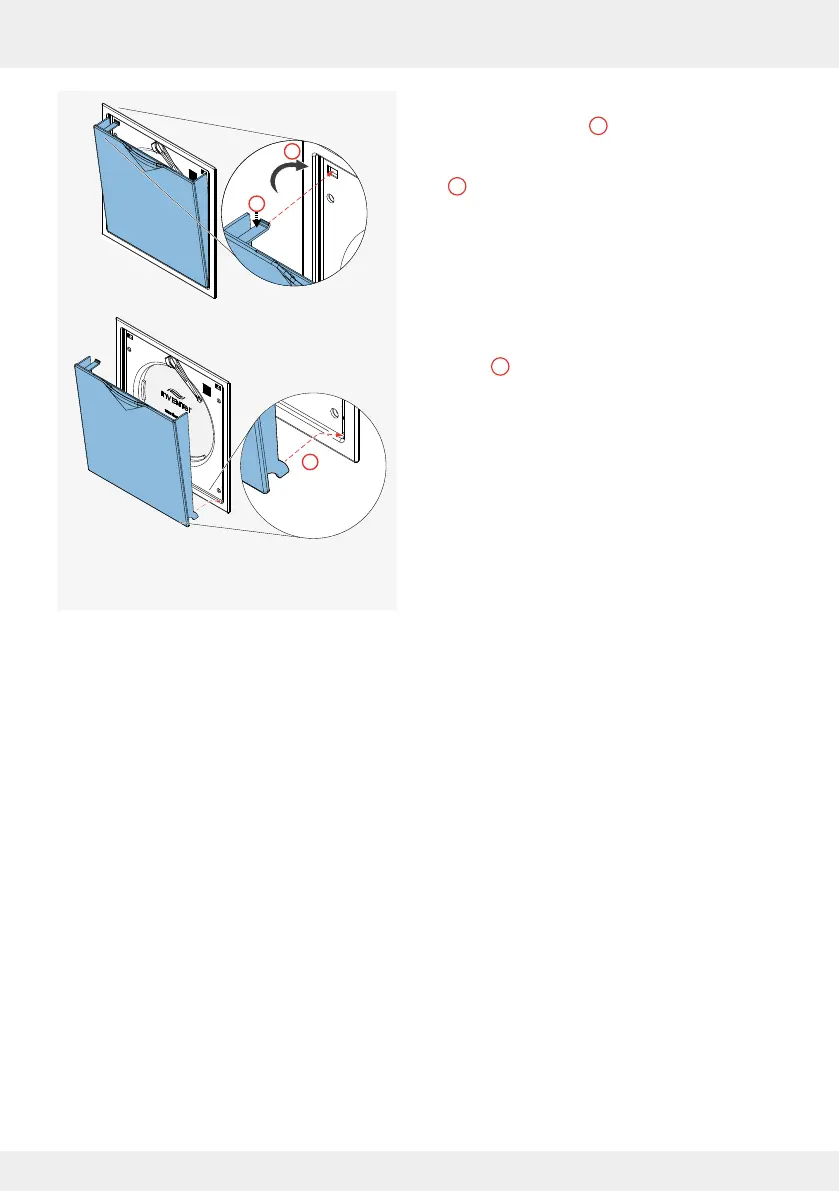
► Hook the lugs of the closing ap into the electronics
cover at the bottom ( ).
► Press the spring clip at the top slightly downwards
( ).
► Guide the closing ap to the top of the electronics
cover ( ), pushing the slightly depressed spring
clip into the opening provided in the electronics
cover. The spring clip snaps into place, the closing
ap is pulled and held by the magnets.
You have attached the closing ap.
► After all the closing aps have been tted, put the
system back into operation using the controller or
app.
► Reset the lter change interval/service interval in
the app.
2
3
1
1
3
2



 To Next Page