While the Cub is connected to a Docking Station, the
screen will display the level of charge.
Switching on your Cub
To switch on your Cub, hold down the rubber multi-function button on top of the device for 3
seconds.
An alarm will sound and the LEDs on front of the devices will light-up red. A progress bar will be
displayed in its bottom-left corner, with segments being added from the bar from right to left.
Hold down the multi-function button until this is no longer displayed (i.e. for 3 seconds). The alarm
will then stop sounding and the red LED will turn off.
The screen will turn on and will cycle through various displays as the device sets itself up.
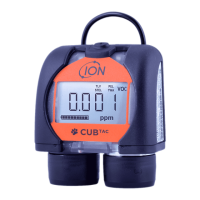
Finally, a short alarm will sound, and the LEDs will flash green. The main gas detection display screen
(see below) will then be displayed. Your Cub is now ready to use.
Switching your Cub off
Press and hold down the multi-function button on top of the device. A progress bar will be displayed
in the bottom-left corner of the screen with segments being removed from the bar from right to left
until the screen and the device switch off.


 To Next Page
